



This Roadtop CarPlay screen review covers key specifications and what you get in the box, installation: diy friendly or professional and wireless carplay performance and interface. It brings the relevant details and limitations together so you can compare the options discussed in the article.
Roadtop is a brand that specializes in adding CarPlay and Android Auto to cars that either have no factory screen or have an outdated infotainment system. Their main product is a Linux-based portable touchscreen that comes in sizes from 8.8 inches to 12.3 inches. The device connects to your phone wirelessly, supports both Apple CarPlay and Android Auto, and can be mounted on the dashboard or windshield. It also includes a built-in backup camera input, a microSD card slot for dashcam recording, and dual Bluetooth to preserve your car‘s original sound quality. This review covers the key features, installation process, real customer feedback, sound quality considerations, and how Roadtop compares to replacing your car’s radio entirely.
Table of Contents
Key Specifications And What You Get In The Box
The Roadtop portable CarPlay screen runs a lightweight Linux operating system, which boots quickly and does not require frequent updates. The table below summarises the core specifications based on the product page and customer reports.
| Feature | Specification |
|---|---|
| Screen Size | 8.8 inches, 10.25 inches or 12.3 inches |
| Resolution | 1280 x 480 (8.8″) or 1920 x 720 (12.3″) |
| Operating System | Linux (custom, CarPlay-focused) |
| Wireless Connections | Apple CarPlay, Android Auto, Miracast mirroring |
| Dual Bluetooth | Yes (connects to phone and to car’s audio system simultaneously) |
| Audio Output | FM transmitter, AUX cable, or car’s original Bluetooth |
| Video Input | Backup camera (CVBS, AHD), front camera optional |
| Additional Ports | USB-C power, microSD card slot (for dashcam recording) |
| Built-in GPS | No (uses phone‘s GPS via CarPlay) |
| Mounting Options | Suction cup on windshield, adhesive magnetic mount on dashboard |
| Included in Box | Screen, power cable, AUX cable, mounting hardware, backup camera (some kits) |
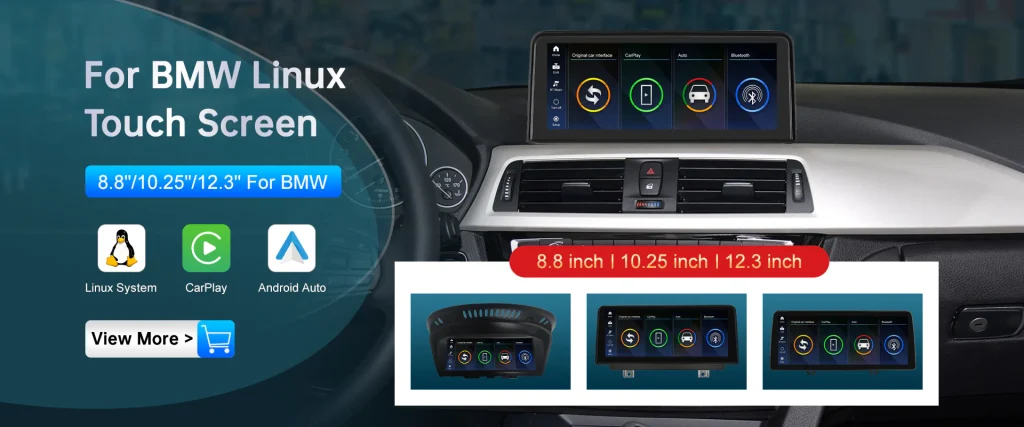
Roadtop offers different versions of the product. Some kits are designed for specific car models (BMW, Mercedes, Audi, Lexus) and replace the factory screen entirely with a larger touchscreen that integrates into the dashboard. The portable version described in this review is model-independent and works in any car with a 12V power outlet.
Installation: DIY Friendly Or Professional
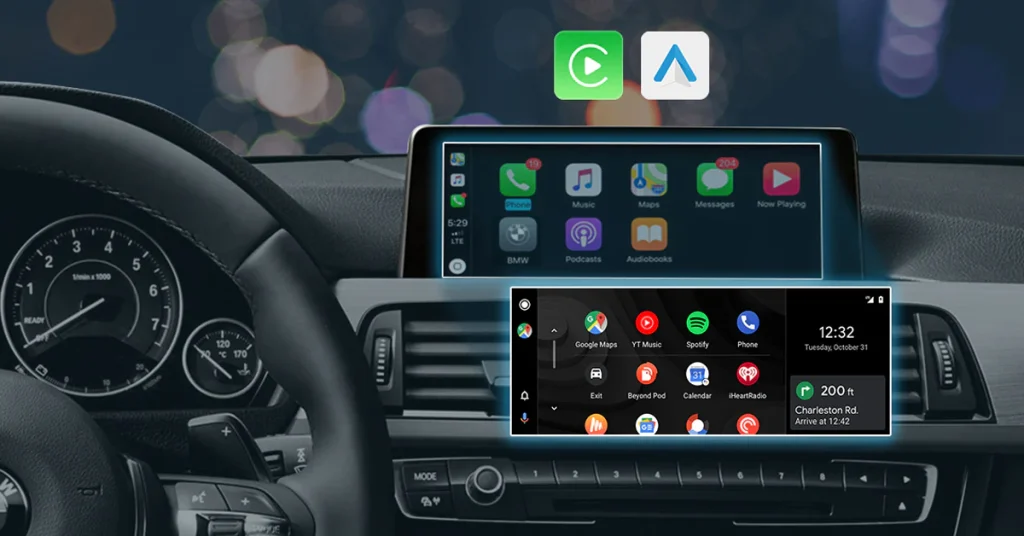
The Roadtop portable screen is designed for DIY installation. Most customers report that the setup takes between 15 and 30 minutes. You do not need to remove your car‘s existing radio or modify the dashboard.
Basic installation steps for the portable screen:
- Mount the screen on your dashboard using the included suction cup or magnetic adhesive base.
- Connect the power cable to a USB-C port on the screen and plug the other end into your car’s 12V cigarette lighter adapter.
- For sound, choose one of three options: FM transmitter (broadcast to your car radio), AUX cable (plug into car‘s AUX input), or dual Bluetooth (connects to car’s factory Bluetooth system).
- If you purchased the backup camera kit, route the camera cable to the rear of your car and connect it to the screen‘s video input.
One customer who installed the unit in a Ford Focus wrote: “Setup was relatively easy, about 10-15 minutes. Manual is in clear English and has pictures to help, no grammatical errors can be seen.” Another customer who installed it in a 2012 Audi A5 said: “SUPER EASY INSTALL!!! All I did was watch YouTube videos. If you don‘t feel comfortable, take it to an audio shop and they can hook it up.”
For customers who buy the model-specific replacement screens (for BMW, Mercedes, Audi, Lexus), installation is more complex. These kits replace the factory screen and require connecting to the car’s wiring harness. Roadtop provides detailed instructions and video guides for each model. A customer who installed a replacement screen in a 2017 Mercedes GLC 43 wrote: “Product works flawlessly. I had mine professionally installed.”
Wireless CarPlay Performance And Interface
The Roadtop screen boots up in approximately 5 to 10 seconds and automatically connects to your phone via Bluetooth. Once connected, the CarPlay interface appears on the screen. The touchscreen is capacitive, meaning it supports swipe gestures and multi-touch.
Customer reports on responsiveness are very positive. One reviewer wrote: “The screen itself is very clear and capacitive meaning that swipe gestures work perfectly. The UI is also snappy and doesn‘t exhibit any lag whatsoever. The OS it runs is very clean and allows for custom boot logos.” Another customer, who used the unit on a 2,800-mile road trip, said: “It worked flawlessly in the heat of the desert Southwest.”
The screen supports wireless Apple CarPlay and wireless Android Auto. It also includes a Miracast mirroring function, which allows you to display videos from your phone‘s screen on the Roadtop display, though this is not recommended while driving.
Dual Bluetooth And Sound Quality
The most innovative feature of the Roadtop screen is its dual Bluetooth system. The device establishes two Bluetooth connections simultaneously: one to your phone (for CarPlay data) and one to your car‘s factory audio system (for sound). This allows you to retain your car’s original steering wheel controls and audio quality, which is not possible with most portable CarPlay screens.
However, some customers have reported sound quality issues when using the AUX cable. One reviewer wrote: “The only complaint I really have is the sound quality isn‘t that good. I can definitely tell the difference from when I was just using Bluetooth in my car.” The same customer noted that you can choose not to connect the Roadtop to your car’s Bluetooth and instead use the device‘s built-in speaker for navigation prompts while playing music through your car’s normal Bluetooth connection.
Another customer offered a solution: “If you don‘t like sound quality with the AUX, you can adjust the sound in sound settings in the car — treble and bass, you can put them lower, it sounds better. Or you can use car Bluetooth sound of your BMW and use CarPlay, then you don’t have sound in Google Maps.” The dual Bluetooth approach works well for most users, but you may need to experiment with the settings to get the best result for your specific car.
Roadtop Vs Full Radio Replacement
| Aspect | Roadtop Portable Screen | Full Radio Replacement (Double DIN) |
|---|---|---|
| Installation | DIY, 15-30 minutes | Professional, 2-4 hours |
| Cost | 150-250 USD | 500-1,500 USD (including installation) |
| Vehicle Modifications | None (mounts on dashboard) | Requires cutting dashboard or adapter kit |
| Steering Wheel Controls | Retained (via dual Bluetooth) | Usually retained with adapter |
| Backup Camera | Optional (wired, included in some kits) | Often included or optional |
| Sound Quality | Depends on connection method (AUX, FM, BT) | Excellent (direct wired connection) |
| Removal / Transfer | Easy (unplugs and removes) | Permanent installation |
| Resale Value | Removable, no impact on car value | May increase or decrease value depending on buyer |
For drivers who plan to keep their car for many years and want the cleanest installation, a full radio replacement may be worth the extra cost. For drivers who lease their car, plan to sell it soon, or simply want CarPlay without cutting into the dashboard, the Roadtop portable screen is a much smarter investment.
Real Customer Feedback Summary
Roadtop has accumulated hundreds of customer reviews across their product pages. The positive feedback consistently praises the installation ease, screen quality, responsive customer support, and value for money.
One BMW i3 owner wrote: “Very great customer service, great product. It‘s like a little bit of figuring out everything at first, but as you keep working with it and going through the settings, you finally see everything come together which is really awesome.” Another customer who installed the unit in a 2014 Hyundai Santa Fe said: “Because the climate controls work through the screen, there are no aftermarket head unit options available. Finding this external wireless Apple CarPlay unit was the answer. Works great.”
A customer who had an initial hardware failure reported: “First one went bad within a few hours. Seller got right on it and sent another. Received the new unit within a few days. All-in-all, we are very pleased.” This level of support is consistent across multiple reviews.
Negative feedback is rare but does appear. One customer noted that the hands-free audio quality was “not as good as the original Ford F150.” Another customer experienced a blown fuse during installation and advised: “I recommend unhooking car battery before installation.” A small number of users reported black screens or connection issues on first boot, but these were usually resolved by cycling power or contacting customer support.
Pros And Cons Of The Roadtop CarPlay Screen
Pros
- Adds wireless CarPlay and Android Auto to any car without replacing the factory radio.
- DIY installation takes 15-30 minutes and requires no special tools.
- Dual Bluetooth retains original steering wheel controls and sound quality.
- Available in multiple screen sizes, including an ultra-thin 12.3-inch model.
- Includes backup camera input and microSD card slot for dashcam recording.
- Linux OS boots quickly and is very stable (no random crashes).
- Customer support is responsive and will send firmware updates or replacements.
- The screen can be easily removed and transferred to another vehicle.
- Much cheaper than a full radio replacement (150-250 USD vs 500-1,500 USD).
Cons
- Sound quality via AUX cable is noticeably worse than direct Bluetooth for some users.
- The FM transmitter option is susceptible to interference and not recommended for city driving.
- The suction cup mount can detach on very hot days; the magnetic adhesive mount is more secure.
- Screen brightness is adequate but not as high as OEM displays; direct sunlight can cause glare.
- The backup camera video quality is acceptable but not as sharp as premium aftermarket cameras.
- The device requires a 12V power outlet; the cable may be visible unless you hardwire it.
- Some users experienced a boot loop when the microSD card was not formatted correctly.
- Not a full Android head unit; you cannot install apps directly on the Roadtop screen.
Frequently Asked Questions (FAQs)
Does the Roadtop screen work in any car?
Yes, the portable version works in any car with a 12V power outlet. The model-specific replacement screens are designed for BMW, Mercedes, Audi, and Lexus vehicles with factory screens.
Can I still use my car’s original radio and navigation?
Yes. The Roadtop screen is an additional display. Your original radio, climate controls and factory navigation remain fully functional.