



Affiliate disclosure: this article contains affiliate links. We may earn a commission if you purchase through them.
This Omi AI review covers key features of the omi platform, omi wearable and omi glass hardware and open source: own your data and run locally. It brings the relevant details and limitations together so you can compare the options discussed in the article.
Omi is an AI-powered note-taking application that captures both screen activity and voice conversations. The software transcribes speech into text, creates tasks, sets reminders, and provides advice based on what it records. Omi is designed for professionals who need to document meetings, brainstorming sessions, or personal notes without typing. The platform is open source, meaning you can download the code, run it on your own hardware, and retain full ownership of your data. Omi works across desktop (Mac), mobile (iOS and Android), and wearable devices, including the Omi Glass and a dedicated wristband. This review covers the product features, open-source philosophy, hardware options, privacy model, target users, and how Omi compares to other AI note-taking tools.
Table of Contents
Omi AI: Key Features Of The Omi Platform
Omi is not a single app but an ecosystem of tools that work together. The table below summarises the core components based on the official website.
| Feature / Product | Description |
|---|---|
| Omi Desktop App | Captures screen activity and voice on Mac. Transcribes and organises notes locally. |
| Omi Mobile App (iOS / Android) | Records conversations on the go. Syncs with desktop version. Runs entirely on your device. |
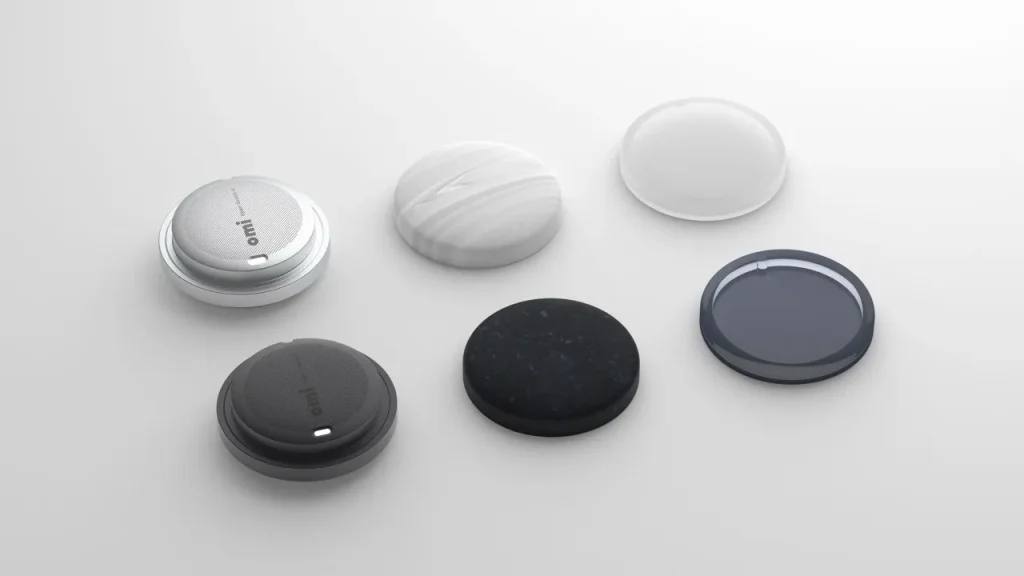
| Omi Wearable | A discreet device (clip or wristband) that captures audio without holding a phone. |
| Omi Glass | Smart glasses with built-in microphones and open-source hardware for hands-free recording. |
| Omi Enterprise | Business tier with team management, compliance features and priority support. |
| Open Source Code | Full source code available on GitHub. You can clone, modify, and run Omi on your own server. |
| Privacy Model | Your data stays on your device by default. Cloud sync is optional and user-controlled. |
| Task Generation | AI automatically extracts action items from transcripts and creates reminders. |
| Screen Capture | Records your screen activity to provide context for voice notes. |
Omi is developed by Based Hardware Inc., a company based in San Francisco. The platform is available for individuals, teams and enterprises.
How Omi Works: From Speech To Actionable Tasks

Omi‘s core value is its ability to convert spoken words and screen activity into structured, actionable output.
Voice capture methods
- Use the Omi mobile app to record meetings, interviews or personal thoughts.
- Wear the Omi wristband or clip to capture audio discreetly without holding a phone.
- Use Omi Glass for hands-free recording during conversations or while driving.
- The desktop app records microphone input during screen capture sessions.
Transcription and processing
Omi runs a transcription model locally on your device. This means your audio does not need to be uploaded to a cloud server. The AI processes the text to identify:
- Action items (e.g., “send the quarterly report by Friday” becomes a task)
- Questions that need answers
- Decisions that were made
- Dates and deadlines
Output and integration
Once processed, Omi can:
- Create tasks in your preferred to-do list app (if integration is enabled)
- Send reminders at specific times
- Generate meeting summaries
- Provide advice based on past conversations (e.g., “you mentioned this client prefers email over phone calls”)
The open-source nature of Omi means that advanced users can modify the AI models, add new integrations, or run the entire system on their own servers.
Omi Wearable And Omi Glass Hardware
Omi differentiates itself from purely software-based note-taking apps by offering dedicated hardware.
Omi Wristband
The Omi wristband is a slim, discreet device that you wear like a fitness tracker. It contains multiple microphones designed to capture your voice clearly even in noisy environments. The wristband connects to the Omi mobile app via Bluetooth. When you tap the device, it starts recording. You can also set it to record continuously (battery life dependent). The wristband is ideal for professionals who attend back-to-back meetings and do not want to have their phone out constantly.
Omi Glass
Omi Glass is a pair of smart glasses with built-in microphones and open-source hardware. The glasses look similar to ordinary eyewear. They are designed for hands-free recording during walks, commutes, or while working at a desk. The glasses connect to the Omi app and sync recordings to your phone.
Both wearable devices are optional. You can use Omi with only the mobile or desktop app and still access most features.
Open Source: Own Your Data And Run Locally
The most significant differentiator of Omi is its open-source licence. The entire platform, including the transcription models and the sync server, can be downloaded from GitHub.
What open source means for Omi users:
- You can inspect the code to verify how your data is processed.
- You can modify the software to suit your specific needs.
- You can run Omi entirely on your own computer without any cloud connection.
- You are not locked into a subscription if the company changes its pricing model.
- Developers can contribute improvements back to the project.
The Omi GitHub repository includes scripts to build and run the application on Mac, iOS and Android. The website states: “Clone, build, and run OMI on your Mac. Ship happens.” and “Build the OMI mobile app for iOS or Android. One script, zero drama.”
For non-technical users, Omi provides ready-to-install apps through the App Store and Google Play Store. The open-source option exists for those who want maximum control and privacy.
Privacy: On-Device Processing And Optional Sync
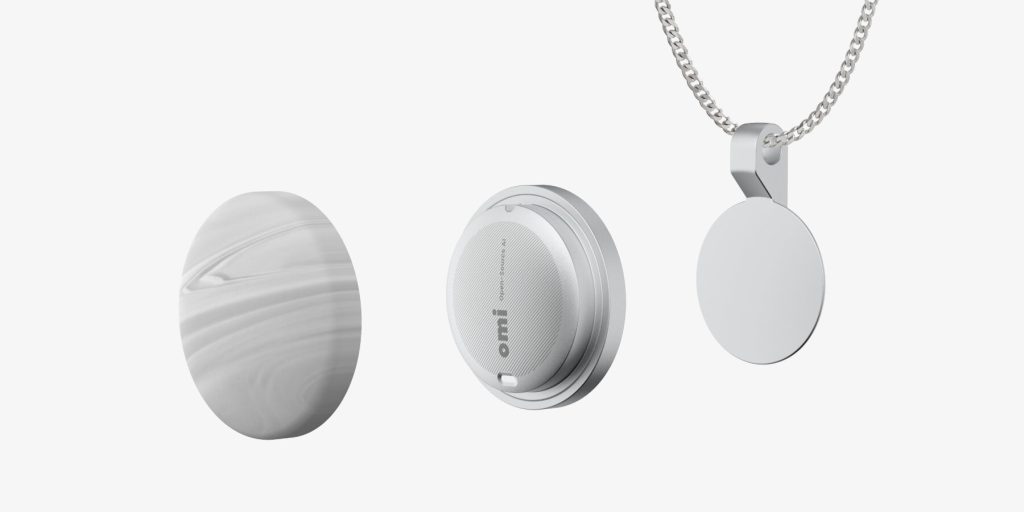
Omi‘s privacy model is stronger than most competing note-taking apps. By default, all transcription and processing happens on your device. Your audio recordings and screen captures do not leave your computer or phone.
On-device processing
- The AI models run locally on your Mac, iPhone or Android device.
- No cloud server accesses your raw audio.
- Transcripts are stored locally unless you enable cloud sync.
Optional cloud features
- You can enable encrypted sync between your desktop and mobile devices.
- If you choose to use Omi‘s cloud, your data is stored on servers operated by Based Hardware Inc.
- The company states that you retain ownership of your data.
For advanced users
- You can run the entire Omi backend on your own server using the open-source code.
- This gives you complete control over storage, encryption and access.
The privacy section of the Omi website lists “Open source. Own your data. Runs on your device” as a core principle.
Omi For Enterprises And Teams
Omi Enterprise is a version of the platform designed for companies. It includes features that are not available in the free individual tier.
Enterprise features include:
- Team management (add and remove users)
- Centralised billing
- Compliance with data retention policies
- Priority support
- Option to self-host the entire system on company servers
The website does not list public pricing for Omi Enterprise. Interested businesses must contact the sales team.
Omi Vs Other AI Note-Taking Apps
| Aspect | Omi | Rewind AI | Otter.ai | Mem |
|---|---|---|---|---|
| Open Source | Yes (full code available) | No | No | No |
| On-Device Processing | Yes (default) | Yes (Mac only) | No (cloud required) | No (cloud required) |
| Wearable Hardware | Yes (wristband, glasses) | No | No | No |
| Screen Capture | Yes (Mac) | Yes (Mac) | No | No |
| Free Tier | Unknown | Limited | Yes (with restrictions) | Limited |
| Self-Hosting | Yes (run your own server) | No | No | No |
| Best For | Privacy-focused professionals, developers | Mac power users | Meeting transcription | Personal knowledge management |
Omi‘s main advantage over competitors is its open-source licence and the ability to run everything locally. Rewind AI also offers on-device processing, but it is not open source and does not have wearable hardware. Otter.ai is cloud-only, which may be unacceptable for users in regulated industries. Mem is a popular note-taking app but lacks screen capture and voice recording features.
Pros And Cons Of Omi
Pros
- Open source licence gives you full control over your data.
- On-device processing means no cloud dependency for transcription.
- Works across desktop, mobile and wearables.
- Omi Glass and wristband enable hands-free recording.
- Screen capture provides context for voice notes.
- Automatically creates tasks and reminders from conversations.
- Can be self-hosted on your own server for maximum privacy.
- Free to use for individuals (based on current website information).
- Company is transparent about its San Francisco headquarters and team.
- Supports both iOS and Android mobile platforms.
Cons
- Desktop app currently only available for Mac (no Windows or Linux version).
- Wearable hardware adds cost (price not listed on the website).
- The open-source setup requires technical knowledge to build from source.
- Not suitable for users who need cloud-only access without installing software.
- Omi Glass may not be available in all countries.
- Battery life of wearables is not specified.
- The AI‘s task extraction accuracy depends on audio quality and speaking clarity.
- No public pricing for Omi Enterprise; businesses must contact sales.
- The brand is relatively new (founded after 2020) compared to established competitors.
- Some users may prefer a pure cloud solution that works across any device without installation.
Frequently Asked Questions (FAQs)
Is Omi free to use?
The Omi mobile and desktop apps appear to be free for individual users based on the website. There is no pricing section for personal plans. Omi Enterprise is a paid product for teams and businesses.
For related coverage, explore Electronics & Technology on TopDealAccess.
Check current information: omi.me product information. Availability, terms and product details should be confirmed for the exact version discussed.