



Table of Contents
Introduction
ACASIS has become a familiar name among Mac users, video editors, and PC builders who need high-speed external storage without paying Apple or premium-brand prices. The brand’s NVMe enclosures, Thunderbolt docks, and USB-C hubs routinely deliver transfer speeds that rival internal drives, often at half the cost of established alternatives. Independent testing has confirmed that the 40Gbps enclosure reaches around 2,900–3,000 MB/s with a Samsung 990 Pro, and the 80Gbps Thunderbolt 5 model roughly doubles that on compatible hardware.
But speed is only part of the story. A storage enclosure is a device that holds your data, and when it fails, the consequences are serious. A close look at customer reviews reveals a pattern that the spec sheets do not mention: units that die within a year, cables that overheat and melt, docks that crash during calls, and a customer service operation that is slow to respond and quick to point to short warranty windows. This review separates the genuine performance value from the reliability and support risks so you can decide whether ACASIS is the right choice for your workflow.

What Is ACASIS?
ACASIS is a technology accessories brand that specialises in high-speed storage enclosures, docking stations, and connectivity hubs for Mac and Windows computers. The company is perhaps best known for its NVMe SSD enclosures, which have become popular among Mac mini and MacBook users who want to expand storage without paying Apple’s upgrade prices.
Key aspects of the brand include:
- Focus on high-speed external storage (NVMe enclosures) and Thunderbolt/USB-C docking stations
- Product range spans 40Gbps and 80Gbps NVMe enclosures, dual-bay docks, 10Gbps SSD docks, and multi-port hubs
- Strong presence on Amazon, eBay, and Walmart, with a dedicated official store
- Products are frequently recommended in Mac-focused communities for expanding storage affordably
- Warranty terms are inconsistent, with some products covered for 12 months and others for as little as 30 days through retail channels
- Customer support is handled primarily via email and is described as slow and inconsistent by multiple reviewers
The brand’s identity is built on performance-per-dollar rather than on long-term reliability or premium support.
The Product Line: Enclosures, Docks, and Hubs
ACASIS’s catalogue is organised around three core product families, and the differences between them matter because performance, compatibility, and reliability vary significantly.
The 40Gbps NVMe Enclosures (TUB405PRO, TBU401, and related models) are the brand’s volume products. They use a USB4/Thunderbolt 4 interface and reach around 2,700–3,000 MB/s in real-world testing, depending on the SSD and host. The TUB405PRO adds active cooling with a built-in fan, while the base models rely on passive thermal pads.
The 80Gbps NVMe Enclosures (TB501 Pro, TBU501PRO) are the newer flagship line, built for Thunderbolt 5 and USB4 V2.0. They claim up to 80Gbps and are aimed at M4 Pro/Max Macs and high-end PCs. Reviews confirm roughly double the transfer rates of Thunderbolt 4 on compatible hardware, but the line has also generated the most serious safety complaints.
The Docking Stations and Hubs include the 21-port Thunderbolt 4 dock, the Mac mini M4 dock with dual NVMe slots, and various USB-C hubs. These are aimed at users who want a single-cable solution for monitors, storage, networking, and peripherals.
| Product Family | Key Models | Interface | Claimed Speed | Price Positioning |
|---|---|---|---|---|
| 40Gbps NVMe Enclosure | TUB405PRO, TBU401 | USB4 / TB4 | ~2,700–3,000 MB/s | Mid-range |
| 80Gbps NVMe Enclosure | TB501 Pro, TBU501PRO | TB5 / USB4 V2.0 | Up to 80Gbps | Premium |
| Docks & Hubs | 21-port TB4 dock, Mac mini M4 dock | TB4 / USB-C | 40Gbps | Mid to Premium |
Build Quality and Materials

Build quality is where ACASIS earns praise in the short term and criticism in the long term, and the split is difficult to ignore.
What reviewers consistently praise:
- The all-aluminium construction is described as solid and premium-feeling, with one long-term reviewer noting the 40Gbps enclosure had “never overheated even under continuous loads” after months of use.
- The tool-free magnetic closure on newer models is an improvement over screw-based designs, making SSD installation easier.
- The included thermal pads and plastic spacers allow compatibility with 2230, 2242, 2260, and 2280 SSDs, which is a practical detail.
- The switchable cooling fan on the TUB405PRO is described as “very quiet” and “barely audible more than 2 meters away.”
Where the quality claims break down:
- Long-term reliability is inconsistent. One Amazon reviewer reported the enclosure “was defective after not even 12 months,” with “brutal losses in write mode” and the cable being ejected, making the product useless.
- Another reviewer described a 21-port Thunderbolt 4 dock that “died after 1 year and several days” and had been “frequently crashing during normal usage” before failing completely.
- A Trustpilot reviewer reported a backpack of poor quality with “returns impossible,” which is a different product category but reflects the brand’s broader consistency issues.
- The 80Gbps cable on the TB5 enclosure reportedly melted and smoked during use, according to one detailed Amazon Canada review, which is a serious safety concern rather than a cosmetic defect.
| Component | Feedback |
|---|---|
| Aluminium housing | Solid, premium-feeling, good thermal mass |
| Cooling fan | Quiet and effective on the TUB405PRO |
| Tool-free closure | Convenient, but some prefer screws |
| Long-term reliability | Mixed — failures reported within 12 months |
| Cables | One report of an 80Gbps cable melting and smoking |
Design and Real-World Experience
ACASIS’s design philosophy prioritises performance and portability, and the enclosures are genuinely well-suited to a Mac-centric workflow.
What works well:
- The 40Gbps enclosure is compact at roughly 102mm × 52mm × 14mm, making it easy to slip into a laptop bag alongside a MacBook.
- The 80Gbps model is tool-free and installs an SSD in minutes, which is a meaningful improvement over enclosures that require a screwdriver.
- The Mac mini M4 dock adds two NVMe slots, USB-A ports, SD/TF 4.0 slots, and PD 30W power delivery, turning a compact desktop into a more capable workstation.
- The 21-port Thunderbolt 4 dock offers an unusually broad port selection at its price point, including 8K60Hz HDMI, 2.5GbE Ethernet, and 10Gbps USB.
Where the design does not work for everyone:
- The 21-port dock “does not actually function as advertised” , according to one Amazon reviewer, who gave it 2 out of 5 stars because of compatibility and stability issues.
- The TB5 enclosure’s cable is a weak point, with one reviewer warning that it “melted one time; smoked even” and recommending an Intel-certified replacement cable.
- Some models do not support PCIe 5.0 SSDs, which is a limitation for buyers who already own the fastest drives.
Performance: Does It Deliver?
Performance is where ACASIS value proposition is strongest, and independent testing largely confirms that the speeds are real when the unit works.
What testing and owner reports suggest:
- The 40Gbps enclosure reaches around 2,800–3,000 MB/s with a Samsung 990 Pro on a Thunderbolt 4 connection, which is close to the practical limit of the interface.
- The 80Gbps enclosure roughly doubles the transfer rate on a Thunderbolt 5 connection, according to a reviewer using an M4 Max Mac, and also improves speeds on Thunderbolt 4 compared with the previous generation.
- The 10Gbps SSD dock is described as a “reliable little adapter” for recovering files or reusing old SSDs, with a 4.4-star average from over 1,200 ratings.
- The 21-port dock works well for some users for months, with one reviewer saying they were “very happy with it” after seven months of use.
Where performance falls short:
- Write speeds can be much slower than read speeds on some configurations, according to a detailed Amazon UK review that tested the same SSD with and without a Thunderbolt hub.
- The 21-port dock crashes frequently for some users, with one reviewer describing spontaneous resets during conference calls with a camera and speaker attached.
- The 80Gbps cable can overheat and fail, which is a performance and safety issue rather than a speed limitation.
| Performance Aspect | Feedback |
|---|---|
| Sequential read (40Gbps) | ~2,800–3,000 MB/s, close to interface limit |
| Sequential write | Can be notably slower on some setups |
| Thunderbolt 5 scaling | Strong — roughly doubles TB4 speeds |
| Docking station stability | Mixed — crashes and resets reported |
| Cable safety | One report of melting and smoking on TB5 |
Pricing and Value
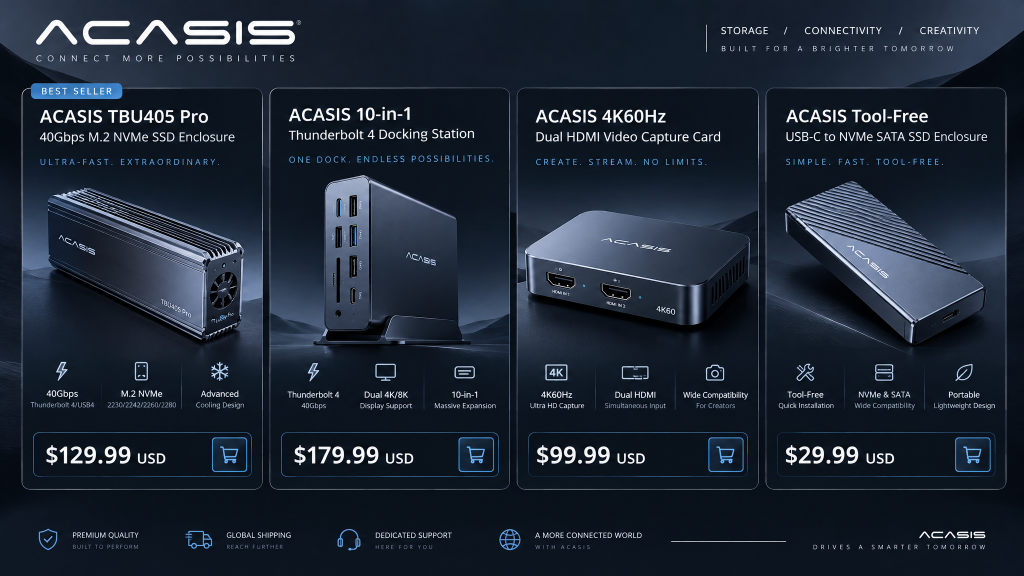
ACASIS’s pricing is its clearest advantage, and the value case is genuine for buyers who need high-speed storage without premium-brand prices.
Typical pricing (varies by model, retailer, and promotion):
- 40Gbps NVMe enclosure: mid-range, often significantly cheaper than comparable OWC or Sabrent models
- 80Gbps NVMe enclosure: premium, but still below Thunderbolt 5 alternatives from established brands
- 10Gbps SSD dock: budget, with a 4.4-star average from 1,233 ratings on Amazon Canada
- 21-port Thunderbolt 4 dock: mid-range for the port count, with one reviewer noting the “mixture of port types was what interested me at first”
| Product | Price Positioning | Value Assessment |
|---|---|---|
| 40Gbps Enclosure | Mid-range | Strong if the unit lasts |
| 80Gbps Enclosure | Premium | Fair for the speed, but reliability risk |
| 10Gbps SSD Dock | Budget | Strong for the price |
| 21-port Dock | Mid-range | Fair for the ports, but stability concerns |
The value case is strongest for the 40Gbps enclosure and 10Gbps SSD dock, where ACASIS delivers functional performance at a price that undercuts established brands. It is weaker for the 80Gbps and dock products, where the reliability and support complaints erode the savings over time.
Customer Experience: The Support and Warranty Problem
This is the part of the ACASIS story that any honest review must confront directly. The products can perform well, but the support and warranty experience is inconsistent enough that buyers should understand the risk.
Trustpilot and independent feedback:
- Trustpilot shows a 63% response rate to negative reviews, which is better than many budget brands, but the reviews themselves describe slow replies and unresolved issues.
- A reviewer whose order was returned by customs noted that support responses “were not instant, but generally arrived within 1–2 business days,” and that the team was “polite and to the point.”
- A separate Trustpilot reviewer wrote simply: “Avoid them they don’t reply to any emails.”
Warranty and RMA concerns:
- Warranty terms are inconsistent. A 21-port dock reviewer noted that “the warranty is only 30 days through Amazon,” which is far shorter than the 12-month coverage some products advertise.
- A MacRumors forum user reported that their 21-in-1 TB4 hub failed within the warranty period, and described the experience as “poor customer service.”
- A Chinese-language review on Xiaohongshu described a Thunderbolt enclosure that failed to detect drives, and the customer was offered a paid repair rather than a warranty replacement.
| Platform | Rating / Feedback |
|---|---|
| Trustpilot | 63% response rate to negative reviews; mixed feedback |
| Amazon (various) | 4.0–4.5 on some products, but detailed failure reports |
| Walmart | Mixed — one missing power cord and cable complaint |
| MacRumors Forum | “Poor customer service” after dock failure |
| Common complaints | Slow email replies, short warranty, paid repairs |
Pros and Cons
| Pros | Cons |
|---|---|
| Excellent performance-per-dollar on 40Gbps enclosures | Long-term reliability is inconsistent |
| All-aluminium construction with good thermal mass | Units reported failing within 12 months |
| Tool-free installation on newer models | 80Gbps cable reported melting and smoking |
| Quiet, switchable cooling fan on TUB405PRO | 21-port dock crashes and died after a year |
| 10Gbps SSD dock is reliable and affordable | Customer support is slow and inconsistent |
| Broad port selection on docks | Warranty terms vary and can be as short as 30 days |
| Popular in Mac communities for good reason | Some models do not support PCIe 5.0 SSDs |
ACASIS vs. Standard Brands
How does ACASIS compare to established storage and docking brands like OWC, Sabrent, and CalDigit?
| Feature | ACASIS (40Gbps) | OWC Envoy Pro FX | Sabrent Rocket XTRM | CalDigit TS4 |
|---|---|---|---|---|
| Price | Mid-range | Premium | Premium | Premium |
| Speed | ~2,800–3,000 MB/s | Similar | Similar | N/A (dock) |
| Build Quality | Good, but variable | Excellent | Excellent | Excellent |
| Long-Term Reliability | Mixed | Strong | Strong | Strong |
| Customer Support | Slow/inconsistent | Strong | Strong | Strong |
| Warranty | Varies (30 days–12 months) | 2 years | 2 years | 2 years |
| Best For | Budget buyers who need speed | Reliability and support | Performance and support | Premium docking |
ACASIS’s advantage is price relative to speed. OWC, Sabrent, and CalDigit offer more consistent reliability and stronger support, but at a significant premium. For a buyer who is willing to accept some risk and buy through a retailer with buyer protection, ACASIS delivers strong value. For a buyer who needs guaranteed reliability for critical data, the established brands are safer.
Verdict and Final Thoughts
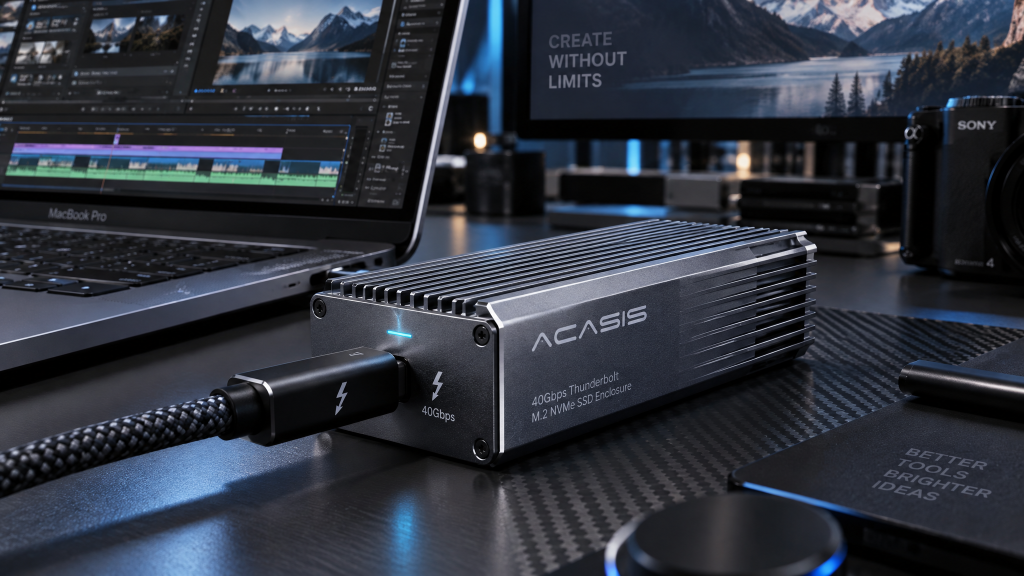
ACASIS makes genuinely fast storage enclosures and docks at prices that make high-speed external storage accessible. The 40Gbps enclosure is a legitimate alternative to premium brands for Mac users who want to expand storage without paying Apple prices, and the 10Gbps SSD dock is a reliable, affordable tool for drive recovery and reuse. When a unit works, it works well, and the performance is close to the interface limit.
But the brand’s reliability and support record is a real concern. Units fail within a year, cables overheat, docks crash, and warranty coverage is inconsistent. Customer support responds to some issues but ignores others, and the gap between the advertised warranty and the actual coverage through retail channels is a problem. These are not reasons to avoid ACASIS entirely, but they are reasons to buy through a retailer with strong buyer protection and to avoid relying on a single enclosure for irreplaceable data.
Who is ACASIS best for?
- Budget-conscious Mac users who want high-speed external storage without premium prices
- Video editors and photographers who need fast scratch disks and can back up data elsewhere
- PC builders who want a Thunderbolt 5 enclosure at a lower price than established brands
- Buyers who purchase through Amazon or Walmart for easier returns and buyer protection
Who should look elsewhere?
- Anyone storing critical, irreplaceable data on a single external drive
- Users who need guaranteed long-term reliability and responsive warranty support
- Professionals who cannot afford downtime from a failed dock or enclosure
- Buyers who prioritise a proven brand with a multi-year warranty
Overall, ACASIS is worth considering if you choose the right product, buy through a channel with strong buyer protection, and treat the enclosure as one part of a backup strategy rather than the only place your data lives. The performance is real; the reliability is not guaranteed. For the right buyer, the savings justify the risk. For everyone else, a more expensive brand with a stronger support record may be the safer choice.
Considering ACASIS? Buy through Amazon or Walmart, avoid the 80Gbps models unless you replace the cable with an Intel-certified one, and back up your data independently of the enclosure.
Scorecard
| Category | Rating |
|---|---|
| Performance & Speed | ⭐⭐⭐⭐⭐ |
| Build Quality (Initial) | ⭐⭐⭐⭐ |
| Long-Term Reliability | ⭐⭐⭐⭐⭐ |
| Pricing & Value | ⭐⭐⭐⭐ |
| Customer Support & Warranty | ⭐⭐⭐⭐⭐ |
| Overall Rating | 4.2/5 |