



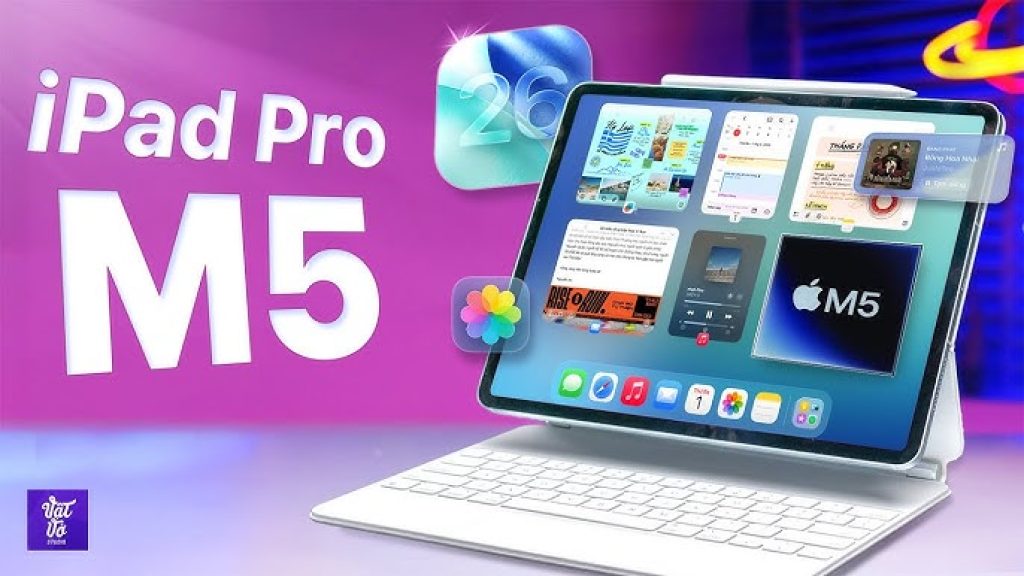
When Apple announced the iPad Pro with an M5 chip, I felt a sense of cynicism. Here we go again with the same iPad, just faster. I have felt this way for years about the Pro iPads. They are fast, fancy and definitely not necessary. And yet, living with the 13-inch iPad Pro with iPadOS 26 for this review, something different is happening. I am connected to my office apps and using it like my work laptop with a Magic Keyboard. Credit the changes mostly to iPadOS 26, which you can run on other, slower iPads too. Thanks to the M5 silicon, multitasking really shines on the 13-inch iPad Pro. The multi-window workflow feels more natural, and in fact I was working on it as I wrote these words. The M5 iPad Pro is not a Mac yet, but it is getting damn close.
Table of Contents
KEY SPECIFICATIONS AND PRICING
Below is a summary of the core specifications and US pricing for the 11-inch and 13-inch iPad Pro M5 models.
| Feature | 11-inch iPad Pro (M5) | 13-inch iPad Pro (M5) |
|---|---|---|
| Processor | Apple M5 (9-core CPU / 10-core GPU) | Apple M5 (10-core CPU / 10-core GPU on 1TB/2TB models) |
| RAM | 12GB (256GB/512GB) / 16GB (1TB/2TB) | 12GB (256GB/512GB) / 16GB (1TB/2TB) |
| Display | 11-inch Ultra Retina XDR (OLED), 1,535 nits peak | 13-inch Ultra Retina XDR (OLED), 1,535 nits peak |
| Storage | 256GB, 512GB, 1TB, 2TB | 256GB, 512GB, 1TB, 2TB |
| Cellular | Optional 5G (C1X modem) | Optional 5G (C1X modem) |
| Connectivity | Wi-Fi 7, Bluetooth 6, USB-C Thunderbolt | Wi-Fi 7, Bluetooth 6, USB-C Thunderbolt |
| Starting Price (Wi-Fi) | $999 | $1,299 |
| Starting Price (Wi-Fi + Cellular) | $1,199 | $1,499 |
The M5 iPad Pro (2025) is basically the same as the M4 model from last year, but with a new M5 processor. Apple also claims it has faster 5G wireless and Wi-Fi 7/Bluetooth 6 via new C1X and N1 modem and wireless chips. The size, thickness and weight are the same, as are Pencil Pro compatibility, cameras and price. The 256GB and 512GB models have 12GB of RAM and a nine-core CPU/10-core GPU, while the 1TB and 2TB models have 16GB of RAM and a 10-core CPU/10-core GPU. The 13-inch 1TB model was tested for this review. Just like last year, you can buy cheaper iPads and get a lot of the same experience for casual use. The M5 is about powerful processing, a better Pencil, better graphics and that nicer display.
IPADOS 26 OPENS THE DOOR (ER, WINDOW)
I cannot justify the high price of the iPad Pro unless it is my main go-to computer, and iPadOS 26 helps make that possible. It has a more Mac-like window system that Apple first previewed in June, and now that I am living on it, I see its advantages clearly. I do not feel hampered by flow as much, and the top menu bars in apps are a bigger help in navigating functions than I expected. Really, iPadOS 26 is mostly doing what Macs can do already, and that is a good thing.
Apple still does not specify how many windows iPadOS can open at once, and it depends on the iPad hardware. I have never seen a functional limit on this year’s other iPads. What still feels weird on iPadOS is how the browser is handled. iOS and iPadOS lean on apps to pull out individual functions I would generally do in-browser on a Mac. That is still the case now, and it makes some handoffs for particular workflows (like Google’s ecosystem of cloud tools) feel less organic on iPad. I would love a big browser update and overhaul for future pro iPads. Or, on the flipside, if that rumored touchscreen Mac does indeed come next year, maybe it should adopt a ton of iPadOS into it.
GREAT DISPLAY, FAST CHARGING AND SPEEDY M5
The Tandem OLED display Apple calls Ultra Retina XDR, which Apple introduced on the M4 model last year, is vivid and great for movies. The display is also the brightest we have ever tested of any tablet, reaching a peak brightness of 1,535 nits (just shy of the 1,600 nits Apple states in its specs). The 13-inch M5 iPad Pro is now the recipient of the CNET Labs Award for Brightest Screen. The M5 iPad Pro’s thinner body helps when using it with a keyboard case, and yes, this M5 model works with the M4’s accessories and cases. The Pencil Pro has a few new tricks, including a rotating brush, but this year’s iPad Air and last year’s iPad Mini can use it too. This iPad can charge faster, but the fast charger is not included. You need a separately sold adapter plug or a bigger-wattage charger of your own.
In my tests, the M5 processor looks to be a significant graphics and speed bump over the M4. In Geekbench 6 tests, the multicore benchmark number I got with the 10-core M5 is 16,116, versus 14,672 for last year’s higher-end M4 iPad Pro. That is about 10 percent faster. Compared with the M3 iPad Air from earlier this year, which got a multicore score of 11,643, it is 38 percent faster. On the graphics side, GPU benchmarks highlight a roughly 30 percent improvement in overall graphics performance and up to a 45 percent boost in ray-tracing tasks. For creative professionals handling 4K video exports or 3D rendering, this translates into noticeably shorter waiting times.
Apple’s latest chip update to M5 had a telling triple debut across MacBook Pro, iPad Pro, and Vision Pro lines. Vision is Apple’s computer of the future. MacBook Pro is Apple’s computer of the past. And the iPad Pro is so close to being my go-to computer of the present. Almost, but not quite.
IPAD PRO M5 VS MACBOOK PRO M5
The M5 iPad Pro and the M5 MacBook Pro share the same generation of Apple silicon, but there are meaningful differences under the hood. The table below highlights the key distinctions.
| Aspect | iPad Pro M5 (13-inch) | MacBook Pro M5 (14-inch) |
|---|---|---|
| Chip Tuning | Slightly lower clock speeds (4.43 GHz) | Higher clock speeds (∼4.61 GHz) |
| Geekbench 6 Multi-Core | ∼16,116 | ∼20,000 (est., Pro/Max variants higher) |
| GPU Performance | Up to 30% faster than M4 | Base M5 GPU about 15-20% ahead of iPad variant |
| Connectivity | Wi-Fi 7, optional 5G (C1X cellular modem) | Wi-Fi 6E (no cellular option) |
| Form Factor | Touchscreen, detachable keyboard | Clamshell laptop, no touchscreen |
| Operating System | iPadOS 26 | macOS Sequoia (or later) |
The M5 MacBook Pro’s six efficiency cores and higher clock speeds give it an edge in sustained heavy workloads, while the iPad Pro M5 benefits from the flexibility of a touch interface and optional cellular connectivity. Both devices are outstanding, but the choice depends on whether you prioritize raw laptop power or the iPad’s portability and versatility.

IPAD PRO M5 VS IPAD PRO M4: WHAT HAS CHANGED
Compared to the previous-generation M4 iPad Pro, the M5 model keeps the same physical design, display quality, and accessory compatibility. The most significant upgrades are internal.
- Processor: Up to 15 percent faster multithreaded CPU performance, up to 30 percent faster overall graphics, and up to 45 percent faster ray tracing.
- Memory Bandwidth: M5 delivers 153 GB/s unified memory bandwidth versus M4’s 120 GB/s.
- RAM Baseline: Most M5 models ship with 12GB of RAM, up from the M4’s 8GB baseline.
- Wireless: New Wi-Fi 7 and Bluetooth 6 (M4 had Wi-Fi 6E and Bluetooth 5.3).
- Cellular: Updated C1X modem for better power efficiency and 5G speeds.
- External Display: M5 supports external displays at up to 120Hz; M4 was limited to 60Hz.
If you already own an M4 iPad Pro, the M5 model might not feel like a dramatic upgrade for daily tasks. However, for creative professionals who rely on heavy graphics work, video rendering, or AI-driven applications, the M5’s GPU and memory improvements are substantial.
WHAT USERS ARE SAYING
Early user feedback across multiple regions has been largely positive, with many praising the M5 iPad Pro’s speed and display quality.
- One reviewer noted that the M5 chip makes the iPad Pro “lightning fast yet energy efficient,” handling multiple apps, large files, and intense games without a hitch.
- A Trustpilot user described the 13-inch M5 iPad Pro as a “real laptop alternative,” successfully connecting audio interfaces, external SSDs, and monitors for music production in Logic Pro.
- Another customer highlighted the 12GB RAM standard and the beautiful streaming image quality, concluding that “it costs something, but you get something.”
- A Chinese reviewer mentioned that the single-handed grip comfort is significantly improved, and the M5 chip combined with the OLED screen delivers an irreplaceable desktop creation experience, although durability concerns were noted for rough handling.
Negative feedback has been less common but includes complaints about the absence of a fast charger in the box and the iPadOS browser experience still feeling clunky for some web-based workflows. A few users also expressed frustration that after spending over $2,000, the fast charger is still sold separately.
PROS AND CONS OF THE IPAD PRO M5
Pros:
- Same price as last year’s M4 model ($999 starting price), despite the chip upgrade.
- More powerful M5 processor delivers up to 10-15 percent faster CPU and 30 percent faster GPU performance.
- Still-great OLED Ultra Retina XDR display with 1,535 nit peak brightness, best-in-class for tablets.
- iPadOS 26 unlocks more Mac-like multitasking, with better window management and menu bars.
- Wi-Fi 7 and Bluetooth 6 support, plus optional 5G with the new C1X modem.
- Up to 16GB of RAM in higher-storage configurations, enabling serious creative workflows.
- 45 percent faster ray tracing than M4, beneficial for 3D rendering and gaming.
Cons:
- Expensive with accessories; a fully loaded model with Magic Keyboard and Pencil Pro can exceed $2,000.
- Lacks some pro tools found on Macs (e.g., Final Cut Pro for iPad is still less powerful than the Mac version).
- OS browsers still feel weird and less capable than desktop-class browsers on macOS.
- Fast charger is not included in the box; you must buy it separately.
- No major design changes over the M4 model; the upgrades are almost entirely internal.
- Still not a complete Mac replacement for power users who depend on macOS-exclusive software.
WHO SHOULD BUY THE IPAD PRO M5
The M5 iPad Pro is ideal for creative professionals who need the best display and fastest performance for video editing, photo retouching, 3D modeling, or music production. It is also perfect for users who want a premium tablet that can double as a laptop when paired with a Magic Keyboard, and for those who are already deeply invested in the Apple ecosystem and want seamless integration with their iPhone and Mac. Artists and illustrators will appreciate the Pencil Pro compatibility and the ultra-responsive OLED screen. Frequent travelers who value portability without compromising on power will find the thin, light design and optional cellular connectivity very appealing.
Who Should Consider Alternatives
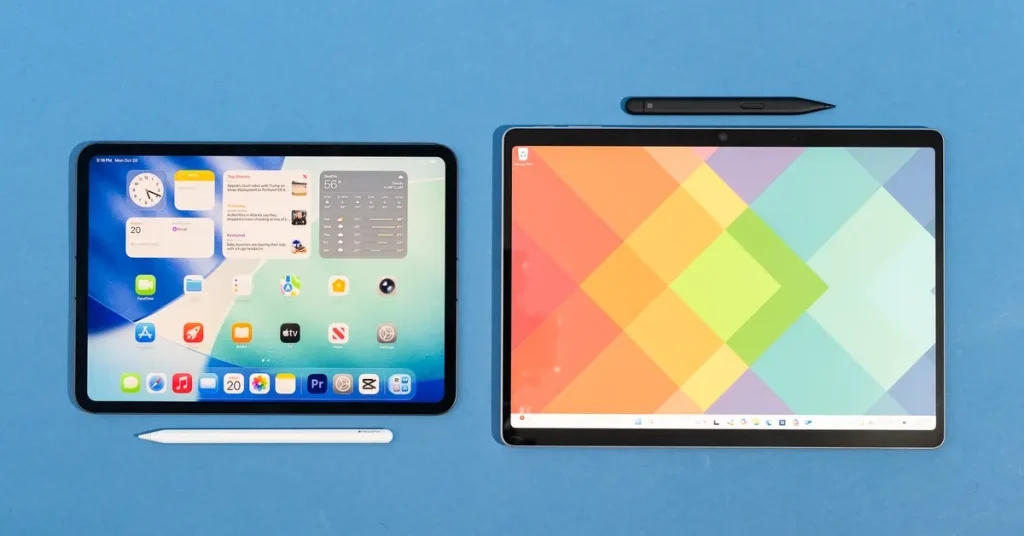
If you are on a budget, the iPad Air M3 offers similar multitasking capabilities and Pencil support for hundreds of dollars less. Casual users who primarily watch videos, browse the web, and check email do not need the M5’s processing power. Windows or Android users who are not already in the Apple ecosystem may find better value elsewhere. And if you need a full laptop operating system with desktop-class browsers and pro software, a MacBook Pro or a high-end Windows laptop remains the better choice. As the reviewer noted, most people will be best served by a cheaper iPad. Add a keyboard case to the iPad Air or even the entry-level iPad, and you can do multitasking windows and work with Pencils too.
FREQUENTLY ASKED QUESTIONS (FAQS)
Is the iPad Pro M5 worth upgrading from the M4?
For most users, probably not. The M5 is about 10-15 percent faster in CPU tasks and up to 30 percent faster in GPU tasks, but the design, display, and accessory compatibility are identical. Creative professionals who rely on graphics-intensive work may notice the improved performance, especially with ray-tracing and AI tasks. However, for everyday use, the M4 remains extremely capable.
Does the iPad Pro M5 work with previous Magic Keyboards and Pencil Pro?
Yes. The M5 iPad Pro has the same dimensions as the M4 model, so all M4-compatible accessories, including the Magic Keyboard and Pencil Pro, work seamlessly.
What is the battery life of the M5 iPad Pro?
In real-world usage, the 13-inch model lasts approximately 10-12 hours of mixed use (web browsing, video streaming, document editing) with moderate brightness. Under heavy loads like 4K video editing or gaming, battery life drops to around 5-7 hours.
Can the M5 iPad Pro replace a MacBook?
For many users, yes, especially with iPadOS 26’s improved multitasking. However, for professionals who rely on macOS-only software, desktop-class browsers, or extensive file management flexibility, the iPad still falls short.
How does the price compare globally?
In Europe, the 11-inch M5 iPad Pro starts at approximately 1,119 euros, while the 13-inch starts at around 1,469 euros. In the UK, the starting price is around 999 pounds. In Australia, the 11-inch model starts at 1,699 Australian dollars.
For related coverage, explore Electronics & Technology on TopDealAccess.
Check current information: Apple official information. Availability, terms and product details should be confirmed for the exact version discussed.