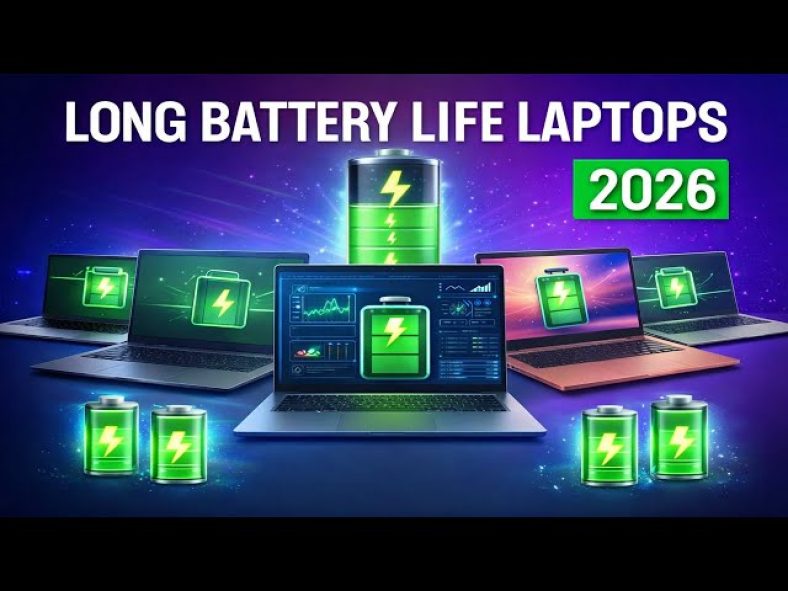
Apple’s MacBooks have dominated battery life in recent years, but the situation has changed. Windows laptops now have a third CPU option: Qualcomm’s Arm-based Snapdragon X chips. The longest-running laptop we have tested is the HP OmniBook 5 14 with a Snapdragon X Plus chip. Intel-based laptops have also proved efficient, from the Lunar Lake-based Lenovo Yoga 9i 2-in-1 Aura Edition to the Dell XPS 14 with Panther Lake processors. If you are shopping for a long-lasting laptop, you have a variety of options. Here are our favorites.
What Is The Right Price Range For A Laptop With Good Battery Life?
The current sweet spot for a reliable laptop is between $700 and $800. This price range handles average work, home office or school tasks well. Every brand can be found discounted online at one time or another, so tracking deals helps you find the lowest price for any model.
Creative work and gaming models start at $1,000 and up. Higher prices bring better components for faster performance, nicer displays, sturdier build quality and lighter designs. A comfortable keyboard and premium materials also add to the cost.
You will likely hold onto your next laptop for at least three years. Since laptop makers are moving away from easily upgradable components, it is best to get as much laptop as you can afford from the start. Spending a little more now often saves money on upgrades later.
Which Operating System Should You Choose For Your Next Laptop?
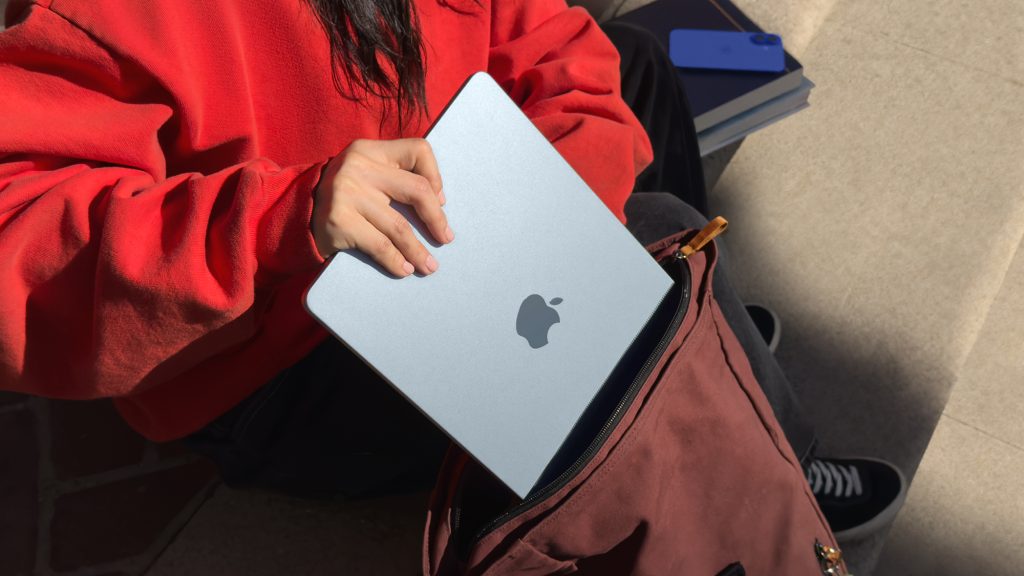
Windows and MacOS do the same things but they do them differently. Windows is the winner for gaming. Unless you need an OS-specific application, choose the one you feel most comfortable using. Test both at an Apple store or local electronics store if you are unsure.
Windows laptops win when it comes to price and variety. They can be found for as little as a couple hundred dollars. MacBooks start at $999 for the base model. If you want a cheaper MacBook, consider older refurbished models.
Chromebooks are excellent, less expensive alternatives. However, ChromeOS is a different experience than Windows. Make sure the applications you need have a Chrome, Android or Linux app before buying. Chromebooks are a good fit for web browsing, writing and document editing, streaming video, and cloud gaming.
How Does Laptop Size Affect Battery Life And Portability?
Screen size determines overall laptop size and factors into battery size, thickness, weight and price. Larger laptops have more room for bigger, longer-lasting batteries. Compact and thin ultraportables usually rely on smaller batteries.
Consider whether a lighter, thinner laptop matters to you. An ultrathin laptop is not necessarily lighter than a thick one. Also, you cannot expect a wide array of connections on a small or ultrathin model.
For working from home without much mobility, a 15.6-inch laptop or larger is a good choice. Bigger screens make life easier for work and are more enjoyable for entertainment. For travel, stick with 13-inch or 14-inch laptops or two-in-ones. These are lightest and smallest while still delivering excellent battery life.
What Screen Features Impact Battery Life The Most?
Higher resolutions fit more content on the screen. Look for a dot pitch of at least 100 pixels per inch, as higher pixel density usually means sharper rendering of text and interface elements. You can always make things bigger on a high-resolution screen but never smaller on a low-resolution screen.
OLED panels offer superior picture with deep blacks and vivid colors, but they drain battery faster than LCD screens. LCD screens use less power but do not look as good. Consider your priorities: better picture or longer battery life?
For gaming, look for screens with a high refresh rate of 120Hz or faster. Higher refresh rates make games look smoother. For content creation, look for displays covering at least 100% sRGB color space. 100% DCI-P3 coverage is even better for professional creative work.

How Do Different Processors Affect Battery Life?
Intel and AMD are the main CPU makers for Windows laptops, with Qualcomm emerging as a third option through Arm-based Snapdragon X processors. Generally, faster processor speed and more cores mean better performance. Both Intel and AMD offer power-saving chips for ultraportables and faster processors for gaming laptops.
Apple makes its own chips for MacBooks, using M-series chipsets. Entry-level MacBook Air uses an M1 chip with an eight-core CPU and seven-core GPU. Current models have M2-series silicon or newer M5 chips.
Battery life has more to do with CPU architecture than core count. Arm-based MacBooks offer better battery life than x86 processors from Intel and AMD. The first Arm-based Copilot Plus PCs also offer better battery life, as Arm architecture is simply more power-efficient for mobile devices.
Do You Need Integrated Or Discrete Graphics?
Integrated graphics (iGPU) is part of the CPU package. It splits space, memory and power with the CPU. This allows for smaller, lighter laptops. Most productivity software, video streaming and web browsing run fine on an iGPU.
Discrete graphics (dGPU) is a separate chip with dedicated memory (VRAM). It communicates directly with its own memory, making it faster. Some games and creative software will not run unless they detect a dGPU. Nvidia and AMD are the two main companies that make dGPUs.
Choose integrated graphics for basic tasks like web browsing and email. Choose discrete graphics for video editing, gaming, streaming and design work. Integrated graphics are sufficient for most casual users, while power-hungry graphics needs require a dGPU.
How Much RAM Do You Really Need For Good Performance?
16GB of RAM is highly recommended for most users, with 8GB being the absolute minimum. RAM stores all data for currently running applications and can fill up fast when running multiple programs.
After RAM fills up, the system starts swapping between RAM and SSD. This swapping is slower and can make your laptop feel sluggish. A lot of sub-$500 laptops have 4GB or 8GB of RAM, which combined with a slower disk creates a frustratingly slow experience.
Many laptops now have memory soldered onto the motherboard. If the RAM type is LPDDR, assume it is soldered and cannot be upgraded. Some PC makers solder memory on and leave an empty internal slot for adding RAM. Check full specs online or contact the manufacturer to confirm upgradability.
What Storage Capacity Is Right For Your Needs?
Solid-state drives (SSDs) have all but replaced hard drives in most laptops. SSDs make a big difference in performance compared to hard drives. However, not all SSDs are equally speedy, and cheaper laptops typically have slower drives.
Storage recommendations by use case:
- 256GB SSD is the absolute minimum for most users
- 512GB SSD lasts longer without getting filled up
- 1TB or more is recommended for large video files or game libraries
- For gaming laptops, do not go with less than 512GB
Get what you can afford, but you likely need less than you think. Add an external drive or two down the road if needed, or use cloud storage to bolster a small internal drive. Gaming laptops require more storage because games take up significant space.
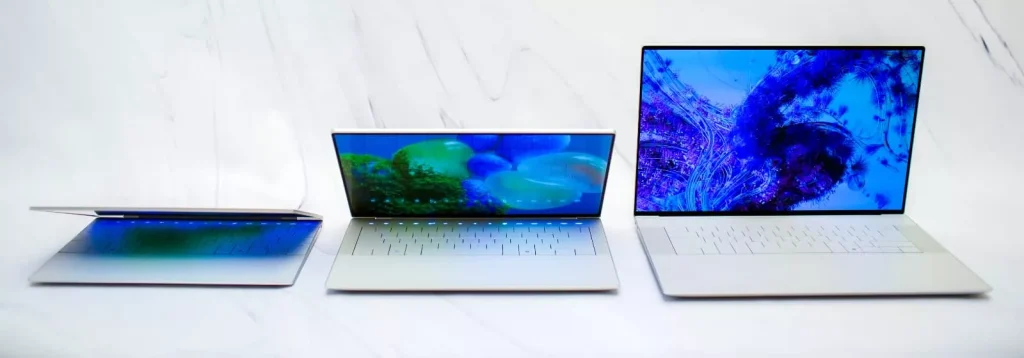
Our Top Picks For Best Battery Life Laptops
1.HP OmniBook 5 14 – 28 Hours 19 Minutes
What makes this laptop special? It is the current battery life champion at over 28 hours. The simple, elegant design and easy-to-carry weight make it perfect for travel. The OLED display delivers stellar contrast, and you get 32GB of RAM and 1TB SSD for under $1,000.
A few drawbacks to know: The OLED display is not the brightest on the market. The USB-C ports are slower than competing models.
Best for: Students constantly on the go and anyone wanting great battery life at a reasonable price.
Skip this if: You are concerned about Windows-on-Arm compatibility issues with certain apps.
2.Lenovo Yoga 9i 2-In-1 Aura Edition – 25 Hours 45 Minutes
This laptop is well-crafted, well-specced and remarkably well-priced. The trim and sturdy chassis houses a unique rotating soundbar that produces robust audio output. It runs and runs and runs, making it perfect for remote or office workers.
The good: Beautiful OLED display, compact package with sleek aesthetics, record-setting battery life, great audio and webcam.
The not-so-good: Mechanical rather than haptic trackpad, no HDMI port, no SIM card reader.
Best for: Remote or office workers and anyone wanting a modern laptop that rotates into a tablet.
Skip this if: You demand a haptic touchpad in a premium laptop or you are a budget shopper who can save money with Lenovo’s Yoga 7 series.
3.MSI Prestige 14 Flip AI Plus – 25 Hours 18 Minutes
This is the first laptop with integrated graphics that delivers playable 3D framerates in AAA titles. No dedicated GPU needed. It is compact, portable and quiet during operation, with incredible battery life beyond “all-day.”
The good: Playable framerates from integrated Intel Arc B390 graphics, around-the-clock battery life, thin and light and quiet operation, new Prestige design is a huge improvement.
The not-so-good: Display is only 60Hz, bottom panel gets hot during games, diving-board effect with mechanical touchpad.
Best for: Anyone wanting a do-it-all laptop for gamers and creators, especially those needing compact, lightweight design with long battery life.
Skip this if: You are a true gaming laptop shopper needing Nvidia RTX graphics, or you want a display faster than 60Hz.
4.Asus Zenbook A14 – 24 Hours 7 Minutes
The Ceraluminum shell makes this laptop incredibly light yet rigid. Weighing less than 2.2 pounds, it offers more than 24 hours of battery life. The 14-inch OLED display is excellent, and you get ample RAM and storage for the price.
The good: Incredibly thin and light without feeling flimsy, all-day-and-all-night battery life, OLED display at this price is a nice surprise, ample RAM and storage for the price too.
The not-so-good: Meh performance from Snapdragon X CPU, meh mechanical touchpad, meh speakers.
Best for: Students, anyone regularly on the road for work, and those prioritizing portability above all else.
Skip this if: You are concerned about Windows-on-Arm compatibility issues.
5.M5 MacBook Pro (14-Inch, 2025) – 22 Hours 59 Minutes
This laptop offers a great mix of power and portability. The mini-LED display is stunning, especially with the optional nano-texture layer. It features a ProMotion display with smooth 120Hz refresh rate, which you do not get with a MacBook Air.
The good: Excellent screen especially with nano-texture, great performance, good size and reasonable weight for everyday use, same first-rate design as previous models.
The not-so-good: Screen notch remains irritating, big drop in performance in low-power mode, only two external displays supported, prone to fingerprint smudges, bundled 70-watt adapter does not support fast charging.
Best for: Those wanting more power than MacBook Air but not wanting to lug around the massive 16-inch Pro model.
Skip this if: You are a budget shopper who can save hundreds with MacBook Air, or a power user needing the 16-inch MacBook Pro with higher core counts.
6.Acer Aspire 16 AI – 21 Hours 9 Minutes
This is a rare 16-inch ultraportable weighing less than 3.5 pounds. The fantastic battery life lets you leave the power cord at home. It is an affordable and portable productivity machine.
The good: Optimal balance of screen size and laptop weight, incredible battery life, comfortable keyboard and roomy touchpad, crisp 1440p webcam, excellent external expansion options.
The not-so-good: Design cannot be described as “exciting,” so-so speakers.
Best for: Budget laptop shoppers unwilling to choose between screen size and light weight, and those wanting extra screen real estate without sacrificing portability.
Skip this if: You are a student constantly on the go who prefers a smaller 14-inch laptop.
7.Dell XPS 14 – 21 Hours 7 Minutes
The XPS 14 corrects many errors of the Dell 14 Premium. Physical keys returning to the Function row is a positive move. Based on Intel’s latest Panther Lake processors, it delivers strong overall performance and long battery life.
The good: Sleek, solid design at reasonable weight, strong performance with long battery life, quiet and cool operation, physical keys have returned to the Function row, huge haptic touchpad, quad speakers produce great sound.
The not-so-good: Matches MacBook Pro in price but not performance, seams along edges and below keyboard attract debris, limited port selection with no adapter included, no fingerprint reader.
Best for: Creators and power users wanting MacBook Pro style in a Windows laptop.
Skip this if: You are OS-agnostic and can get better performance and battery life from MacBook Pro at the same price.
8.M5 MacBook Air (15-Inch, 2026) – 16 Hours 41 Minutes
The roomy 15.3-inch display is powered by Apple’s M5 chip and 16GB of RAM. The M5 update adds incremental improvements and a new sky blue color to an already fantastic laptop. This model sits in the Goldilocks Zone of Apple’s MacBook lineup.
The good: Optimal balance of screen size and system weight, improved app graphics and AI performance from M5 chip.
The not-so-good: Costs $500 more than MacBook Neo, Smooth ProMotion display still exclusive to MacBook Pro.
Best for: People wanting a big-screen MacBook without MacBook Pro power, and those who view the 15-inch Air as the default Air model.
Skip this if: You are a student needing a more affordable and portable 13-inch Air, or a creative type needing more graphics power from MacBook Pro.
Other Laptops We Have Tested For Battery Life
- GeekBook X14 Pro: Impressively thin and light but battery life disappoints, and the touchpad is detestable.
- Lenovo IdeaPad 5i 16 2-in-1 Gen 10: Versatile but forces you to live with more than a couple of design compromises.
- Lenovo Yoga Pro 9i Pro 16 Aura Edition: Gorgeous 16-inch OLED display with the performance and build that graphics pros demand.
- Dell 14 Premium: Rock solid to a fault.
- Dell 16 Premium: Good for creators but has peculiar design, hefty weight and high price.
- Lenovo LOQ 15: Budget gaming laptop with outdated design but modern components.
- HP Omen 16: Good looks and competitive 1080p performance with surprisingly long battery life.
How We Test Laptops For Battery Life And Performance
Our testing process has two parts. First, performance testing under controlled conditions in CNET Labs. Second, extensive hands-on use by our reviewers. This includes evaluating aesthetics, ergonomics and features relative to price. The final verdict combines both objective and subjective judgments.
We use a core set of benchmarks for every laptop:
- Primate Labs Geekbench 6
- Cinebench 2024
- PCMark 10
- Various 3DMark benchmarks (whichever can run on the laptop)
- UL Procyon Photo and Video (where supported)
For battery life specifically: We fully charge the battery, set uniform screen brightness, volume and sleep/hibernate settings, then run a video playback test that streams a video over Wi-Fi on an endless loop until the battery dies.
For gaming laptops: We also run benchmarks from Guardians of the Galaxy, The Rift Breaker (CPU and GPU) and Shadow of the Tomb Raider.
Frequently Asked Questions About Laptop Battery Life
How much do good laptops with long battery life cost?
At $500 or less, you can find nice-looking, lightweight laptops with excellent battery life. Between $500 and $1,000, you get Intel Core i-series and AMD Ryzen processors, aluminum bodies, touchscreens and two-in-one designs. Above $1,000, you enter premium territory with fastest performance, best battery life and slimmest designs.
Which is better for battery life: MacOS or Windows?
Arm-based MacBooks have traditionally offered excellent battery life, but Qualcomm Snapdragon X Windows laptops are now competing strongly. The longest-running laptop currently is actually a Windows laptop (HP OmniBook 5 14). Personal preference and budget should guide your decision.
Are Chromebooks worth it for battery life?
Yes, for many users. Chrome OS is secure, simple and often a bargain. However, Chromebooks cannot natively run Windows or Mac software. They are great for people who do most of their work in a web browser or using mobile apps.
What is the best laptop for home, travel or both?
For home use, a 15.6-inch laptop or larger is best for easier work and entertainment. For travel, 13-inch or 14-inch laptops or two-in-ones offer the lightest weight and smallest size. PC-makers are moving from 16:9 widescreens to 16:10 or 3:2 ratio displays, giving more vertical screen space without significantly increasing footprint.
Which laptop is best for gaming or content creation?
For casual gaming, browser-based games or streaming services like Nvidia GeForce Now work well. For demanding gaming, you need discrete graphics like Nvidia RTX 30-series or 40-series GPUs. For content creation, aim for 16GB or more RAM, a speedy 512GB SSD, and an Intel Core i7 or AMD Ryzen 7 processor. Look for high refresh rate displays (120Hz+) for gaming and wide color gamut (100% DCI-P3) for creation.
Disclaimer: Some links in the original article may be affiliate links. The content above is for informational purposes only and should not be considered professional advice. Always research products thoroughly before making a purchase.