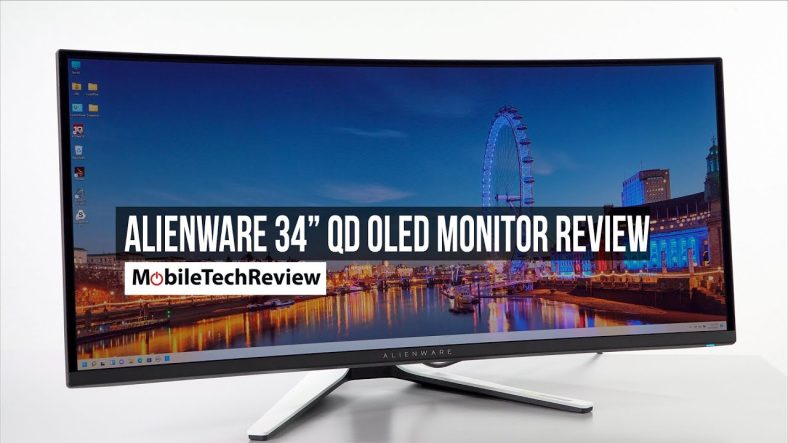
Amazon is currently offering the Alienware AW3425DW QD-OLED gaming monitor at its lowest price ever. This 34-inch ultrawide curved display has dropped to 649 US dollars, which is 150 dollars off its regular list price of 799 dollars. According to price tracking data, this matches the all-time low seen during Black Friday 2025. The AW3425DW features Quantum Dot OLED technology, a 240Hz refresh rate, and a blazing-fast 0.03 millisecond response time. With support for both Nvidia G-Sync Compatible and AMD FreeSync Premium Pro, this monitor delivers tear-free gaming for both major GPU brands. Amazon has not announced an expiration date for this deal, but given the record low price, stock is likely to run out quickly.
Key Specifications Of The Alienware AW3425DW
The table below summarizes the key specifications of the Alienware AW3425DW gaming monitor. This model represents the latest iteration of Dell’s QD-OLED ultrawide lineup, offering significant upgrades over the previous generation.
| Feature | Specification |
|---|---|
| Model | Alienware AW3425DW |
| Panel Type | QD-OLED (Quantum Dot OLED) |
| Screen Size | 34.2 inches |
| Resolution | 3440 x 1440 WQHD |
| Aspect Ratio | 21:9 |
| Curvature | 1800R |
| Refresh Rate | 240Hz |
| Response Time | 0.03ms (GtG) |
| Brightness | 250 cd/m² typical, 1000 cd/m² peak (HDR) |
| Contrast Ratio | Infinite (OLED) |
| Color Gamut | 99.3 percent DCI-P3 |
| HDR Certification | VESA DisplayHDR True Black 400 |
| Adaptive Sync | Nvidia G-Sync Compatible, AMD FreeSync Premium Pro, VESA AdaptiveSync |
| Ports | DisplayPort 1.4, HDMI 2.1, USB-C with DP Alt Mode, USB 3.2 Gen 1 hub, 3.5mm headphone jack |
| Adjustability | Height, tilt, swivel, VESA 100x100mm |
| Warranty | 3 years (including burn-in coverage) |
Why This Deal Matters

The AW3425DW is a significant upgrade over its predecessor, the AW3423DW. While the older model offered a 175Hz refresh rate, the new version pushes that to 240Hz, making it one of the fastest ultrawide QD-OLED monitors available. The response time has also improved from 0.1ms to 0.03ms, which is critical for competitive gaming where every millisecond counts. The inclusion of HDMI 2.1 ports is another notable improvement over the previous generation, allowing for higher bandwidth connections with modern gaming consoles and GPUs. According to Tom’s Hardware, this monitor is among the best ultra-wide displays you can buy, with exceptional color accuracy and deep contrast that only QD-OLED technology can provide. At 649 dollars, it offers an incredible value proposition for gamers seeking a premium display without paying the typical 1000 plus price tag.
Alienware AW3425DW Vs AW3423DWF Vs AW3423DW
To help you understand the differences between the available Alienware QD-OLED models, here is a comparison of their key specifications.
| Feature | AW3425DW (New) | AW3423DWF (Budget) | AW3423DW (Original) |
|---|---|---|---|
| Refresh Rate | 240Hz | 165Hz | 175Hz |
| Response Time | 0.03ms | 0.1ms | 0.1ms |
| Adaptive Sync | G-Sync Compatible, FreeSync Premium Pro | FreeSync Premium Pro | G-Sync Ultimate |
| Ports | DP 1.4, HDMI 2.1 x2, USB-C | DP 1.4, HDMI 2.0 x2 | DP 1.4, HDMI 2.0 x2 |
| Peak HDR Brightness | 1000 nits | 1000 nits | 1000 nits |
| Typical Price | 799 (649 on sale) | 699 (499 on sale) | 1099 (discontinued) |
The AW3423DWF is the budget-friendly option, often dropping to 499 dollars during sales. It uses the same QD-OLED panel technology but with a lower 165Hz refresh rate and no G-Sync hardware module. The original AW3423DW has been largely discontinued and replaced by the AW3425DW. For most gamers, the AW3425DW at 649 dollars offers the best balance of price and performance, with a 240Hz refresh rate that future-proofs your setup for years to come.
User Feedback And Long Term Reliability
Reddit user feedback on Alienware QD-OLED monitors has been largely positive, though burn-in remains a concern for some buyers. One user reported that after 1.5 years of heavy use, their AW3423DWF has been great with no signs of burn-in. Another user mentioned playing Call of Duty for over 500 hours with static HUD elements and seeing no burn-in effects, as they always let the monitor run its pixel refresh cycle after each session. However, a third user noted that RTings testing showed noticeable burn-in on a QD-OLED panel after 700 hours of use at full brightness with a 16:9 video pattern. The consensus is that with common sense habits such as hiding taskbars, using dark mode, and allowing pixel refresh cycles, the risk of burn-in is minimal for most users.
Pros And Cons Of The Alienware AW3425DW
Pros
- Stunning QD-OLED image quality with perfect blacks and vibrant colors
- Ultra-fast 240Hz refresh rate and 0.03ms response time for competitive gaming
- Supports both Nvidia G-Sync Compatible and AMD FreeSync Premium Pro
- HDMI 2.1 ports allow for high-bandwidth connections with modern GPUs and consoles
- 1800R curvature enhances immersion without causing distortion
- 3-year warranty includes coverage for burn-in, providing peace of mind
- Excellent HDR performance with VESA DisplayHDR True Black 400 certification
- Fully adjustable stand with height, tilt, and swivel
Cons
- SDR brightness is relatively low at 250 cd/m², which may be problematic in very bright rooms
- No USB-C power delivery, limiting convenience for laptop users
- QD-OLED text clarity issues may be noticeable for productivity work
- Burn-in risk remains a concern for users who leave static elements on screen for extended periods
- Price is still high compared to traditional IPS gaming monitors
- Requires a powerful GPU to fully utilize 240Hz at 3440×1440 resolution
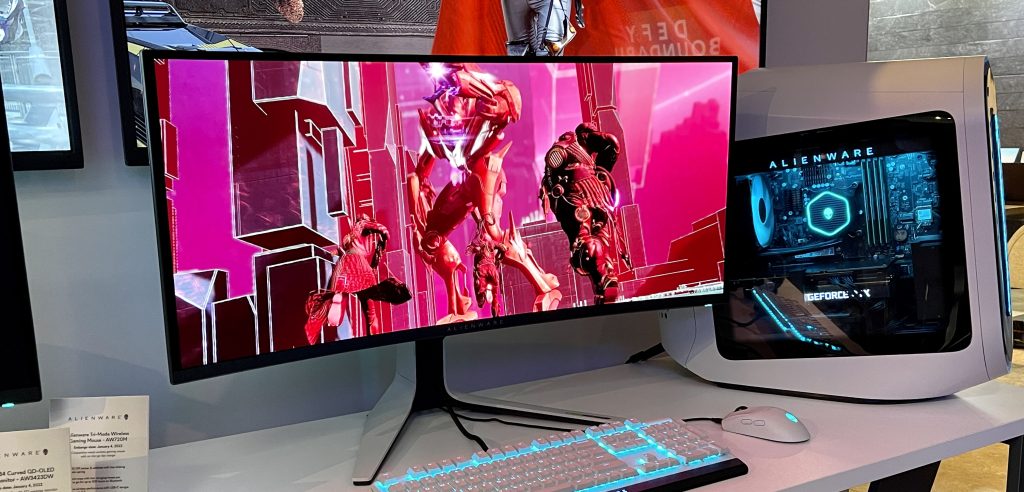
Who Should Buy The Alienware AW3425DW
This monitor is ideal for competitive gamers who want the fastest possible response times combined with stunning image quality. It is also an excellent choice for PC enthusiasts who have recently upgraded to a high-end graphics card such as an Nvidia RTX 4090 or AMD Radeon RX 9070 XT, as these GPUs can drive 240Hz at ultrawide 1440p resolution. The monitor is also suitable for content creators who need accurate color reproduction for video and photo editing, thanks to its 99.3 percent DCI-P3 color gamut coverage. For users who primarily play single-player story-driven games or watch movies, the QD-OLED panel provides an immersive experience that rivals high-end OLED televisions.
Who Should Consider Alternatives
If you are on a tight budget, the AW3423DWF often drops to 499 dollars on Amazon and offers very similar image quality at a lower 165Hz refresh rate. If you need USB-C power delivery for laptop charging, the Samsung Odyssey OLED G8 is a better option, as it includes a 65-watt USB-C port. For users who prioritize text clarity and productivity over gaming performance, a high-refresh-rate IPS panel may be a better fit, as QD-OLED subpixel layouts can cause fringing around text. Finally, if you game in a very bright room, a mini-LED monitor with higher sustained brightness may be more suitable than a QD-OLED panel.
Alternative Gaming Monitors To Consider
The table below compares the Alienware AW3425DW with other top-tier gaming monitors in its class.
| Model | Panel Type | Resolution | Refresh Rate | Price (Approx) | Key Differentiator |
|---|---|---|---|---|---|
| Alienware AW3425DW | QD-OLED | 3440×1440 | 240Hz | 649 (on sale) | Best value ultrawide QD-OLED |
| Samsung Odyssey OLED G8 | QD-OLED | 3440×1440 | 175Hz | 899 | Built-in smart TV features, USB-C power delivery |
| MSI MPG 321URX QD-OLED | QD-OLED (Gen 3) | 3840×2160 | 240Hz | 950 | 4K resolution, newer panel tech |
| LG 34GS95QE | WOLED | 3440×1440 | 240Hz | 799 | Matte coating, better for bright rooms |
The Samsung Odyssey OLED G8 uses the same QD-OLED panel as the Alienware but includes Samsung’s Tizen smart TV operating system, Bluetooth, Wi-Fi, and a 65-watt USB-C port. The MSI MPG 321URX offers a 4K resolution and third-generation QD-OLED technology, but at a higher price point.

Frequently Asked Questions (FAQs)
What is the difference between the AW3425DW and the AW3423DW?
The AW3425DW is the newer model, featuring a faster 240Hz refresh rate (up from 175Hz), a quicker 0.03ms response time (from 0.1ms), and the addition of HDMI 2.1 ports. It also has a slightly newer QD-OLED panel with improved color accuracy.
Does the Alienware AW3425DW support G-Sync?
Yes, the monitor is certified as Nvidia G-Sync Compatible, meaning it works seamlessly with Nvidia graphics cards to eliminate screen tearing and stuttering.
What is the warranty period for burn-in?
Dell includes a 3-year warranty that covers OLED burn-in, which is one of the best in the industry. This provides significant peace of mind for buyers concerned about long-term reliability.
Is this monitor good for console gaming?
Yes, the HDMI 2.1 ports allow the monitor to accept 4K signals from the PS5 and Xbox Series X, downscaling them to the monitor’s native 3440×1440 resolution. However, console games are designed for 16:9 aspect ratios, so you will see black bars on the sides or a stretched image.
What graphics card do I need to run 240Hz at 3440×1440?
To fully utilize the 240Hz refresh rate in demanding games, you will need a high-end GPU such as an Nvidia RTX 4090 or an AMD Radeon RX 9070 XT. For less demanding esports titles, a mid-range GPU like an RTX 4070 Ti will suffice.
Does the monitor come with a DisplayPort cable?
Yes, the AW3425DW includes a DisplayPort cable in the box. An HDMI cable is not included, so you will need to purchase one separately if you plan to use HDMI.