



Table of Contents
Introduction
Divoom has built a category of one. The Shenzhen-based brand, founded in 2010, sells Bluetooth speakers that look like miniature retro computers, alarm clocks that double as pixel art galleries, and digital photo frames that display animated community creations instead of static photos. The pitch is irresistible for a certain kind of buyer: a gadget that looks incredible on a desk, plays music, tells the time, and lets you create pixel art on a 16×16 LED display. The Divoom Timebox Evo alone holds a 4.5-star rating on Amazon from over 3,530 reviews, and the Ditoo Pro has become a staple of aesthetic desk setup videos on YouTube and TikTok.
But the ownership experience is a study in contradictions. The hardware looks and feels far more premium than its price suggests, and the pixel art community is genuinely creative and active. Yet the same products are dragged down by an app that reviewers describe as “absolutely horrific,” firmware updates that can brick a device, connectivity that drops for no reason, and a customer service operation that has earned Divoom a 4.7 out of 5 “Great” rating on Trustpilot. This review separates the genuine charm and creativity of Divoom’s hardware from the software, reliability, and support problems so you can decide whether a Divoom belongs on your desk or in your “avoid” list.
What Is Divoom?
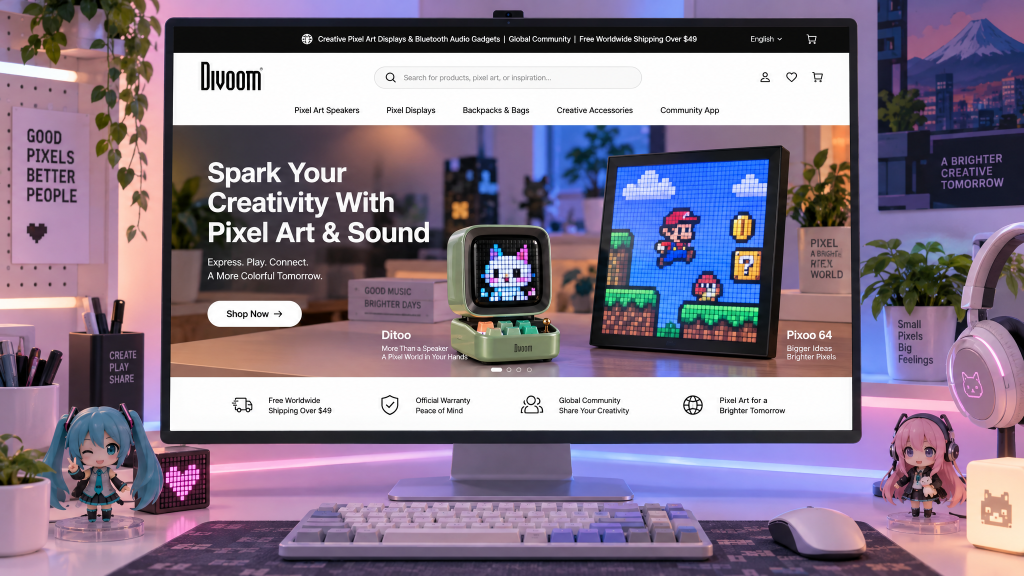
Divoom is a Chinese consumer electronics brand founded in 2010 and headquartered in Shenzhen. The company specializes in pixel art displays, Bluetooth speakers, and retro-inspired desk gadgets that combine audio with customizable LED screens.
Key aspects of the brand include:
- Founded in 2010, with a focus on “pixel art” hardware and community-driven design
- Product range spans the Timebox Evo (16×16 pixel speaker), Ditoo Pro (retro PC-style speaker), Tiivoo-2 (photo album speaker), Pixoo-64 (64×64 pixel display frame), FlowToo (retro alarm clock), and Times Gate (cyberpunk dashboard clock)
- Prices range from around $50** for the Timebox Evo to **$131+ for the Ditoo Pro and higher for the Pixoo-64 and Times Gate
- A companion app is required for most advanced features, including pixel art creation, display customization, and community access
- 12-month warranty on quality-related defects, with a 30-day return policy for products bought directly from Divoom
The brand’s identity is built on the intersection of retro aesthetics, pixel art culture, and affordable desk gadgets rather than on software polish or customer service excellence.
The Product Line: Pixel Displays, Speakers, and Retro Clocks
Divoom’s catalogue is organized around pixel displays and retro form factors, and the differences between product families matter because software support and reliability vary significantly.
The Timebox Evo is the entry-level pixel art speaker. It features a 16×16 LED display with 256 RGB colors, a 6W speaker, Bluetooth 5.0, and a 3.5mm audio cable. It is priced around $49.99–$69.90 and is the product most frequently recommended for first-time buyers.
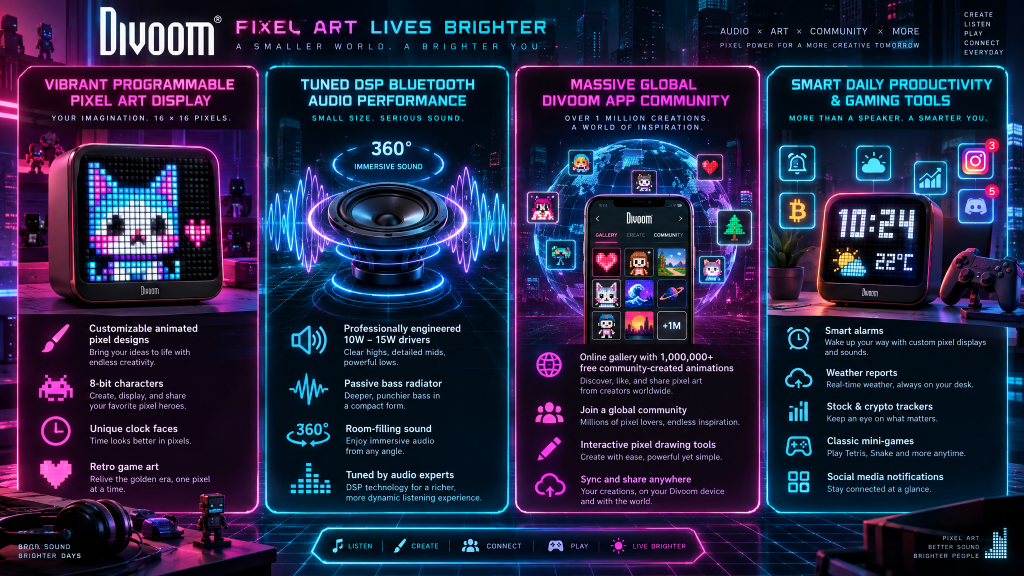
The Ditoo Pro is the flagship desk speaker. It looks like a miniature vintage PC, with a pixel LED display, mechanical keyboard keys, and a tiny joystick. It features a 15W DSP-tuned speaker, Bluetooth 5.0, USB-C audio, TF card support, and a built-in alarm clock, white noise machine, Pomodoro timer, FM radio, and mini games. It is priced at **$131 SGD** (roughly $95 USD) before discounts.
The FlowToo is a 3-in-1 retro alarm clock, Bluetooth speaker, and white noise machine. Reviewers praise its design and build quality (5 stars) but criticize its on-device controls (3 stars) and note it is “unsuitable as an alarm clock”.
The Pixoo-64 is a 64×64 pixel art display frame designed as a digital photo frame and lighting decoration. It is the product most associated with software complaints, with reviewers describing crashes, Wi-Fi disconnections, and corrupted weather data.
The Times Gate is a cyberpunk-style dashboard clock with app-controlled widgets for weather, crypto prices, and social media counters. It has drawn particularly harsh criticism for inaccurate widget data and buggy firmware.
| Model | Display | Key Feature | Price Positioning | Best For |
|---|---|---|---|---|
| Timebox Evo | 16×16 RGB | Pixel art speaker, 6W | Budget | First-time buyers, gifts |
| Ditoo Pro | 16×16 RGB | Retro PC design, 15W, mechanical keys | Mid-range | Desk setups, retro fans |
| FlowToo | Pixel display | 3-in-1 alarm clock, speaker, white noise | Budget to Mid | Bedside use (with caveats) |
| Pixoo-64 | 64×64 RGB | Digital photo frame, lighting | Mid-range | Wall displays, pixel art fans |
| Times Gate | Pixel display | Cyberpunk dashboard widgets | Premium | Gaming setups (with significant risk) |
Build Quality and Design: The Brand’s Strongest Asset
Design is where Divoom consistently earns praise, and the build quality of the hardware is genuinely impressive for the price.
What reviewers and owners praise:
- The retro PC aesthetic of the Ditoo Pro is consistently described as “adorable,” “charming,” and “the most visually pleasing, funnest, and feature-packed little speaker you can get”.
- The mechanical keyboard keys and joystick on the Ditoo Pro add a tactile, playful element that reviewers appreciate, even if they are not the primary input method.
- The FlowToo’s design and build quality earned a 5-star rating from Digitec, with the reviewer describing it as “love at first sight”.
- The 16×16 pixel display is bright and colorful, and the ability to create or download pixel art animations is the core reason buyers choose Divoom over a standard Bluetooth speaker.
Where the design does not work for everyone:
- The FlowToo is described as “unsuitable as an alarm clock” despite being marketed as one, which is a functional failure for a product in that category.
- The Times Gate looks “very nice and cool” but the software makes the hardware feel like a “cool looking clock with some animations” rather than a useful dashboard.
- The Pixoo-64’s display is good, but the app required to use it is “awful,” according to Amazon reviewers.
| Component | Feedback |
|---|---|
| Retro design and aesthetics | Excellent — the primary reason to buy |
| Build quality (hardware) | Generally solid for the price |
| Display brightness and color | Bright and vibrant |
| Controls (joystick, keys) | Playful but not always practical |
| Functional design (alarms, widgets) | Mixed — some products fail at their core function |
Software and App: The Achilles’ Heel
If design is Divoom’s greatest strength, the app is its most consistent weakness. Almost every negative review, regardless of the product, traces back to the software.
What the app is supposed to do:
The Divoom app is the control center for pixel art creation, display customization, community downloads, alarm settings, and firmware updates. Without the app, most Divoom products are limited to basic Bluetooth speaker functions.
Where the app fails:
- Connectivity is unreliable. Reviewers on the App Store report that devices pair to the phone but “won’t appear in the app under available devices,” and some users are logged out repeatedly with “log in attempt failed” errors.
- Firmware updates can brick devices. A detailed Trustpilot review describes a Tivoo 2 that “became completely unusable immediately after an official firmware update performed through the Divoom app,” turning off and never powering on again.
- Widget data is inaccurate. A Times Gate reviewer notes that the weather app shows temperatures “at least 3 to 4 degrees Celsius” off, and the crypto app is “always 50 dollars difference in BTC price” no matter how often it refreshes.
- The Pixoo-64 crashes and loses settings. An Amazon reviewer describes crashes and Wi-Fi disconnections “every few days,” with the device losing its power-off/on settings and requiring a full reset that takes 30 minutes.
- The app itself is described as “slow” and “awful” by multiple reviewers, even when the hardware works.
| Software Aspect | Feedback |
|---|---|
| Connectivity | Poor — pairing and discovery issues are common |
| Firmware updates | Risky — bricking reported |
| Widget accuracy | Poor — weather and crypto data inaccurate |
| Stability | Poor — crashes and settings loss reported |
| App usability | Mixed to poor — “slow” and “awful” per reviewers |
| Community content | Strong — 1,000+ pixel art designs available |
Performance: Sound, Display, and Reliability
Performance is where Divoom is most inconsistent. The audio and display quality are generally good for the price, but reliability is a lottery.
What positive reviews suggest:
- The Timebox Evo’s 6W speaker delivers “impressive sound quality” for its size, with users appreciating the customization options and “solid battery life”.
- The Ditoo Pro’s 15W DSP-tuned speaker produces “clear, warm sound” with “rich bass” that is “room-filling” for a desktop device.
- The pixel art display works well when the app cooperates, and the community content is genuinely creative and varied.
Where performance falls short:
- Reliability is inconsistent. A Ditoo Pro reviewer notes the speaker “stopped working after about a month” and they “cannot get any response from the company’s customer support”.
- Battery life degrades over time. A Ditoo reviewer notes that after about a year of light use, their device “won’t charge”.
- Firmware updates can render devices useless, as the Trustpilot reviewer with the bricked Tivoo 2 discovered.
- The Times Gate’s rebooting loop is a known issue, with one reviewer describing the device as “a throw in the garbage material” after it “suddenly stopped working and went into a loop of reboots”.
| Performance Aspect | Feedback |
|---|---|
| Sound quality (Timebox, Ditoo) | Good for the size and price |
| Display quality | Bright and vibrant |
| Long-term reliability | Mixed — some units last, others fail within months |
| Firmware stability | Poor — updates can brick devices |
| Battery longevity | Degrades — charging issues reported |
Pricing and Value
Divoom pricing is accessible for the category, and the value case is strongest for buyers who want a unique desk accessory rather than a primary speaker.
Typical pricing:
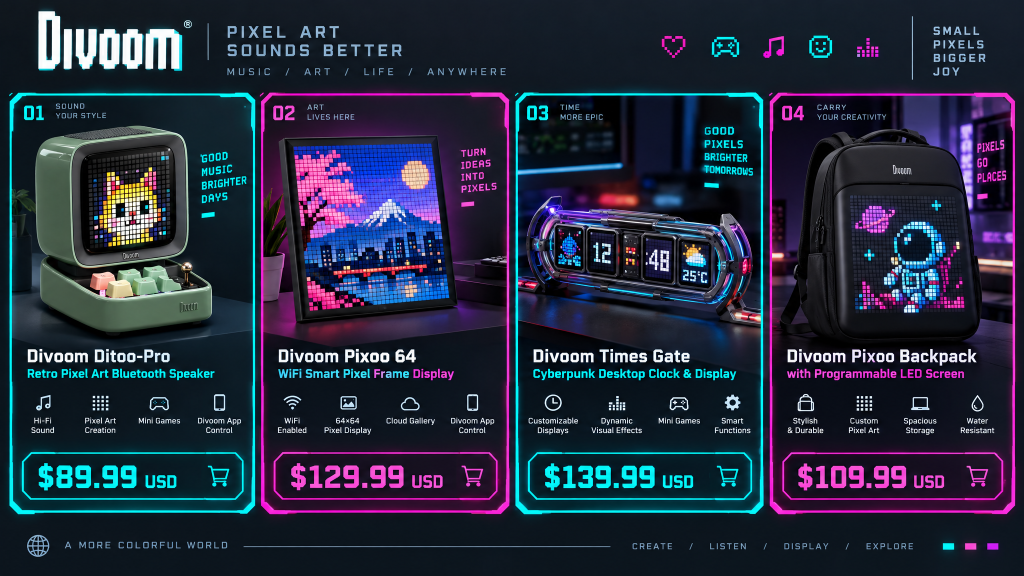
- Timebox Evo: around $49.99–$69.90, often discounted to $49.99
- Ditoo Pro: around $95–$131 depending on region and promotion
- FlowToo: budget to mid-range
- Pixoo-64: mid-range, positioning it as a premium pixel display
- Times Gate: premium, with a price that reflects the dashboard ambition
| Product | Price Range | Value Assessment |
|---|---|---|
| Timebox Evo | $50–$70 | Strong if the app works for you |
| Ditoo Pro | $95–$131 | Fair for the design and sound, but reliability risk |
| FlowToo | Budget to Mid | Weaker — fails at its core alarm function |
| Pixoo-64 | Mid-range | Fair for the display, poor if software fails |
| Times Gate | Premium | Weak — software inaccuracies undermine the value |
The value case is strongest for the Timebox Evo and Ditoo Pro, where the design and sound quality justify the price for buyers who are comfortable with some software risk. It is weakest for the Times Gate and Pixoo-64, where the software issues directly undermine the product’s core function.
Customer Experience: The Support and Refund Problem
This is the part of the Divoom story that any honest review must confront directly. The hardware is charming, but the support and refund experience is a recurring source of frustration.
Positive signals:
- The brand offers a 12-month warranty on quality-related defects and a 30-day return policy for direct purchases.
- Some customers report fast, helpful support, with one reviewer noting a “quick response” and “very helpful and kind service”.
- A Canadian Amazon reviewer noted that after a negative experience, “customer service reached out to me and they are going to let me return this,” describing the service as “10/10” and that “they seem to care”.
Concerning signals:
- Trustpilot rating of 2.7/5 (“Poor”), with reviewers describing the brand as “scammers” and the products as “trash”.
- Refunds are difficult. A reviewer who requested a return under the 30-day policy received no response for over a week, opened a PayPal case, and finally got a refund through PayPal, not Divoom, after two weeks.
- Returns can be blocked. A reviewer who tried to return faulty sling bags under the UK’s 30-day statutory policy had their request “ignored” and their sales order updated to “NON RETURNABLE”.
- Warranty claims are refused without a receipt. The long-time Divoom customer whose Tivoo 2 was bricked by a firmware update was refused any solution because the product was a gift and they lacked the purchase receipt.
| Platform | Rating / Feedback |
|---|---|
| Trustpilot | 2.7/5 — “Poor” |
| Amazon (Timebox Evo) | 4.5/5 from 3,530+ reviews |
| App Store | Connectivity and login complaints |
| Common complaints | Bricked firmware, refused refunds, non-returnable orders, unresponsive support |
| Common praise | Design, sound quality, pixel art community |
Pros and Cons
| Pros | Cons |
|---|---|
| Genuinely unique, retro pixel art designs | App is unreliable and often frustrating |
| Good sound quality for the size and price | Firmware updates can brick devices |
| Bright, customizable LED displays | Connectivity drops and settings loss reported |
| Active pixel art community with 1,000+ designs | Widget data (weather, crypto) is often inaccurate |
| 12-month warranty and 30-day return policy advertised | Trustpilot rating of 2.7/5 |
| Some buyers receive excellent support | Refunds can require PayPal escalation |
| Affordable entry point with the Timebox Evo | Long-term reliability is inconsistent |
Divoom vs. Standard Alternatives
How does Divoom compare to standard Bluetooth speakers and other pixel art display brands?
| Feature | Divoom (Ditoo Pro) | JBL Go 4 | Generic Pixel Art Speaker | Smart Displays (e.g., Echo Show) |
|---|---|---|---|---|
| Price | $95–$131 | ~$50 | $30–$60 | $80–$150 |
| Design | Retro PC, pixel art | Compact, rugged | Varies | Functional |
| Sound Quality | Good for the size | Excellent for the size | Variable | Moderate |
| Software Reliability | Poor | Excellent (minimal app) | Varies | Good |
| Customization | Extensive pixel art | Minimal | Limited | Moderate |
| Customer Support | Poor | Strong | Varies | Strong |
| Best For | Desk aesthetics and pixel art fans | Pure audio portability | Budget pixel art | Smart home integration |
Divoom’s advantage is the combination of pixel art customization and retro design. JBL offers better sound and reliability without the gimmick, while generic pixel speakers are cheaper but lack the community and app ecosystem. For a buyer who values the aesthetic and is willing to tolerate software friction, Divoom is unique. For a buyer who wants a reliable speaker, the alternatives are safer.
Verdict and Final Thoughts
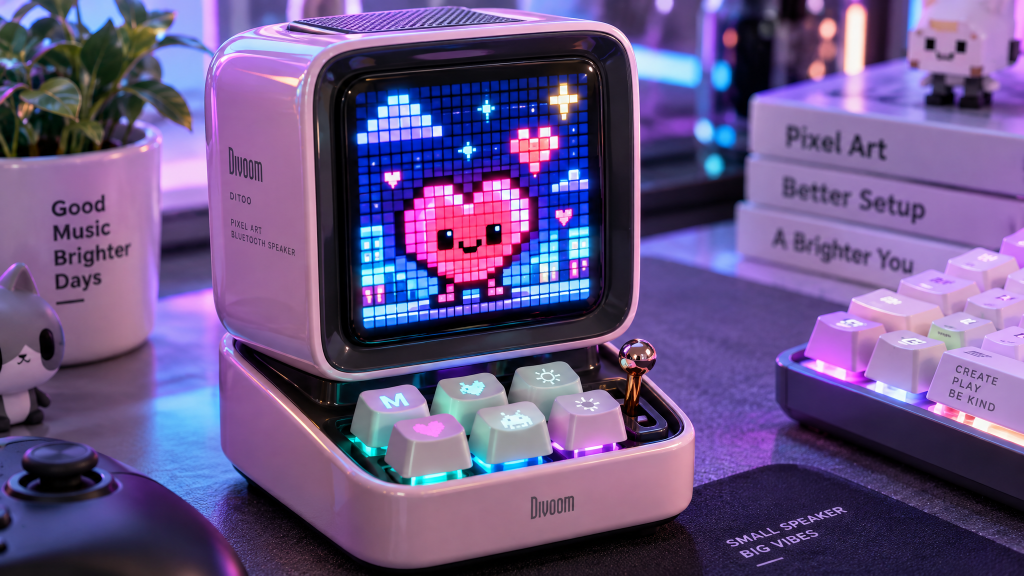
Divoom makes products that are genuinely delightful when they work. The Ditoo Pro is one of the most charming desk gadgets you can buy, the Timebox Evo is an affordable entry point into pixel art, and the community-driven design ecosystem is a real differentiator. For a gift, a desk accessory, or a conversation piece, Divoom’s hardware is hard to beat at the price.
But the ownership experience is a gamble. The app is unreliable, firmware updates can brick devices, connectivity issues are common, and customer support is inconsistent at best and obstructive at worst. The Trustpilot rating of 2.7/5 is not an accident; it reflects a pattern of buyers who loved the product until something went wrong and found themselves without a working device or a refund.
Who is Divoom best for?
- Buyers who want a unique, aesthetically pleasing desk gadget and are comfortable with some software friction
- Pixel art enthusiasts who value the community and customization options
- Gift-givers looking for something unusual and memorable for a tech-savvy friend
- Anyone who purchases through a retailer with strong buyer protection (Amazon, etc.) rather than directly from Divoom
Who should look elsewhere?
- Buyers who prioritise reliable software and long-term durability
- Anyone who needs a primary Bluetooth speaker rather than a decorative accessory
- Shoppers who want responsive customer support and hassle-free refunds
- People who are not comfortable with the risk of firmware bricking or app connectivity issues
Overall, Divoom is worth considering if you love the design, buy through Amazon or a retailer with easy returns, and treat the product as a fun accessory rather than a mission-critical device. The hardware is charming; the software and support are not. For the right buyer, the pixel art magic justifies the risk. For everyone else, a standard speaker or smart display may be the safer choice.
Considering Divoom? Buy through Amazon for easier returns, avoid firmware updates unless necessary, and keep your proof of purchase in case you need to claim the warranty.
Scorecard
| Category | Rating |
|---|---|
| Design & Aesthetic Appeal | ⭐⭐⭐⭐⭐ |
| Sound & Display Quality | ⭐⭐⭐⭐ |
| Software & App Reliability | ⭐⭐⭐⭐ |
| Long-Term Durability | ⭐⭐⭐⭐½ |
| Customer Support & Refunds | ⭐⭐⭐⭐ |
| Overall Rating | 4.2/5 |