A properly placed mesh WiFi system can completely eliminate dead zones and dramatically improve internet speed, stability, and coverage throughout your home.
However, even the best mesh systems will perform poorly if the nodes are placed incorrectly. In 2026, with increasing reliance on smart home devices, streaming, and remote work, router placement has become just as important as the router itself.
This guide explains the optimal placement strategy for mesh routers to achieve full-home WiFi coverage.
QUICK SUMMARY
To get the best performance from a mesh WiFi system:
- Place the main router centrally in your home
- Position satellite nodes halfway between weak signal areas
- Avoid walls, metal objects, and interference sources
- Keep nodes elevated for better signal propagation
- Ensure line-of-sight where possible between nodes
WHY MESH ROUTER PLACEMENT MATTERS
Mesh WiFi systems rely on multiple nodes communicating with each other.
If placement is incorrect:
- Signal strength drops significantly
- Speeds become inconsistent
- Devices may connect to weaker nodes
- Dead zones still appear despite mesh coverage
Proper positioning ensures smooth roaming and consistent performance across all rooms.
BEST LOCATION FOR MAIN MESH ROUTER
1. CENTRAL LOCATION IS CRITICAL
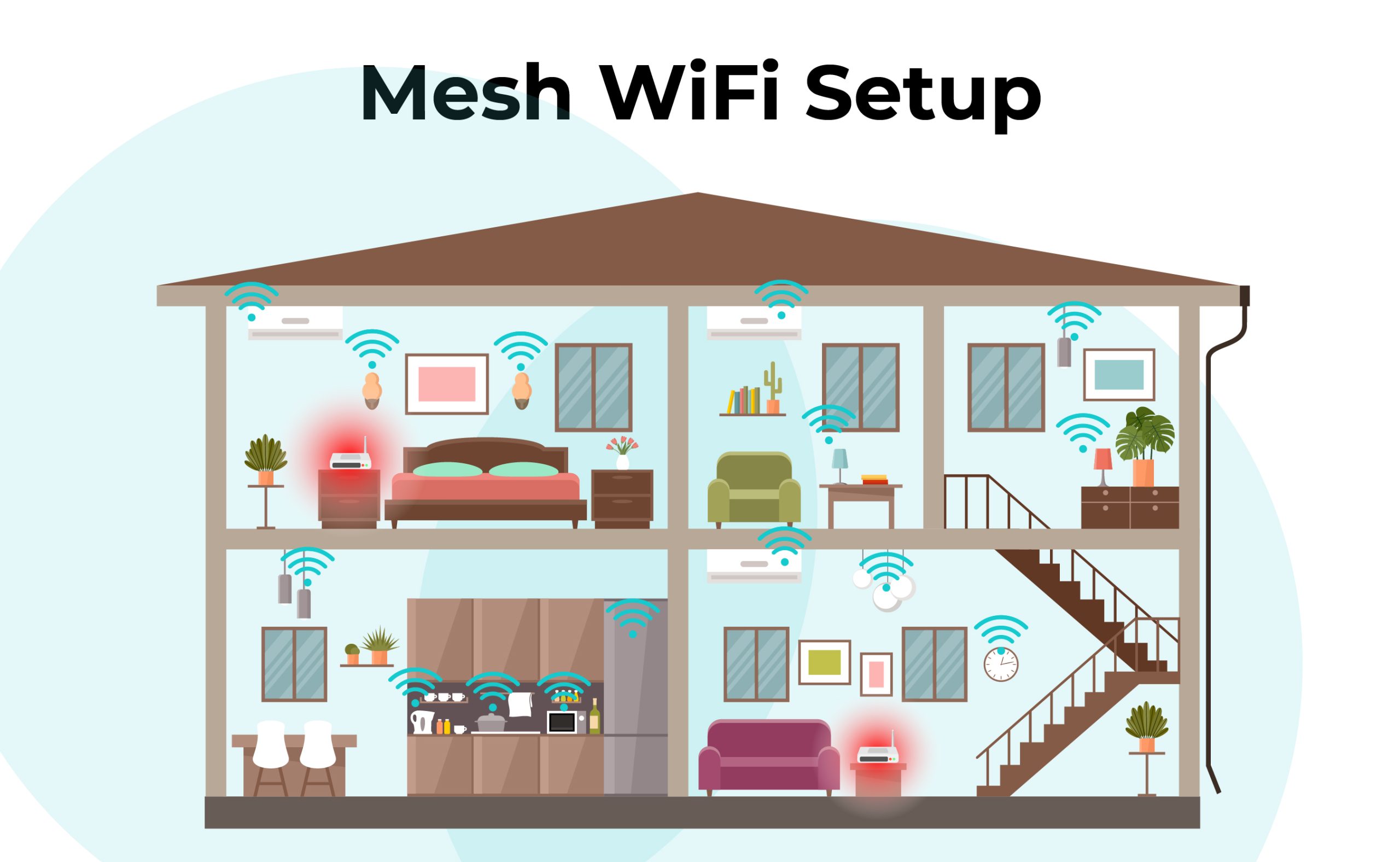
The main router should be placed:
- Near the center of your home
- In an open area
- Away from thick concrete walls
This allows signals to spread evenly in all directions.
2. AVOID OBSTRUCTIONS
Do NOT place the router near:
- Metal cabinets or appliances
- Thick walls or reinforced concrete
- Mirrors or large glass barriers
- Closed closets or corners
These materials weaken WiFi signals significantly.
3. HEIGHT IMPROVES SIGNAL
For best performance:
- Place router on a shelf or table
- Avoid floor placement
- Keep at chest to head height range
Higher placement improves signal distribution.
BEST PLACEMENT FOR MESH SATELLITE NODES
1. MIDPOINT STRATEGY
Satellite nodes should be placed:
- Halfway between the main router and weak areas
- Not too far from the main node
- Within strong signal range of each other
This ensures stable “handoff” between nodes.
2. MULTI-FLOOR HOMES
For multi-story houses:
- Place one node per floor
- Position near staircases for signal flow
- Avoid stacking nodes directly above each other
This improves vertical signal distribution.
3. AVOID SIGNAL OVERLAP ISSUES
Nodes should not be:
- Too close together
- Competing for the same coverage zone
- Blocking each other’s signals
Balanced spacing is key.
COMMON MISTAKES TO AVOID
1. PLACING ROUTER IN CORNERS
Corners limit signal spread and create dead zones.
2. HIDING ROUTER IN CABINETS
Enclosed spaces reduce signal strength dramatically.
3. TOO MANY WALLS BETWEEN NODES
Each wall reduces signal quality, especially concrete walls.
4. IGNORING INTERFERENCE
Keep away from:
- Microwaves
- Bluetooth hubs
- Cordless phones
OPTIMIZATION TIPS FOR MAXIMUM SPEED
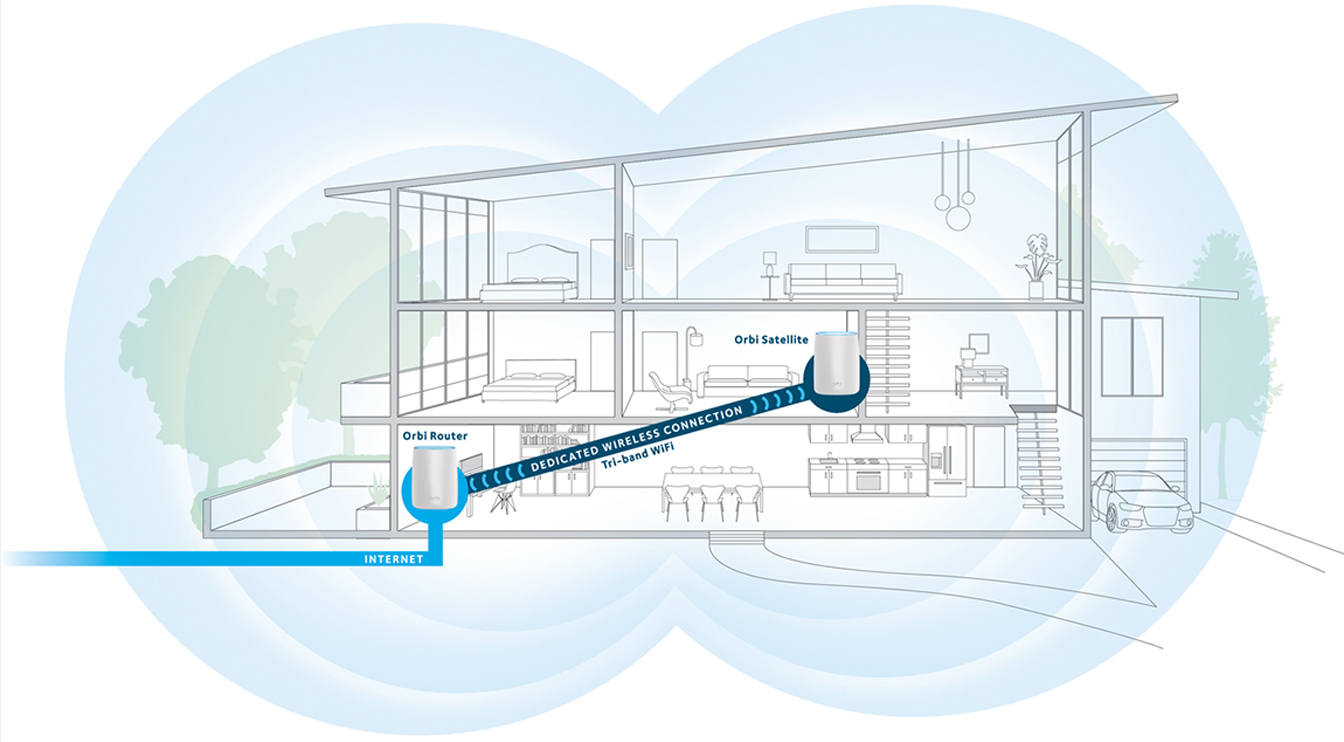
- Use wired backhaul if possible for nodes
- Regularly update firmware
- Use dual-band or tri-band mesh systems
- Test signal strength in different rooms
- Adjust node placement based on real usage
WHO NEEDS MESH WIFI MOST?
- Large homes
- Multi-floor buildings
- Homes with thick walls
- Smart homes with many connected devices
- Remote work environments
FINAL VERDICT
The effectiveness of a mesh WiFi system depends heavily on placement strategy, not just hardware quality.
By positioning your router centrally, placing nodes strategically between weak zones, and avoiding interference, you can achieve full-home coverage with minimal dead zones.
👉 In 2026, proper mesh setup is one of the easiest ways to significantly upgrade home internet performance without changing your ISP plan.