The Roborock Qrevo S5V is a high‑end robot vacuum and mop combo. It features 12,000Pa HyperForce suction, a FlexiArm extendable mop arm, an SGS‑certified zero‑tangle brush system, and an all‑in‑one smart dock that auto‑empties dust, self‑washes and dries the mop pads, and refills the water tank. The robot uses structured light sensors for obstacle avoidance and PreciSense LiDAR for 360‑degree navigation. It supports up to four floor maps and can be controlled via the Roborock app, Alexa and other smart home platforms. The Qrevo S5V is designed for large homes (up to 3,552 square feet of mopping coverage) and pet households. This review covers the key specifications, dock features, cleaning performance, navigation and how it compares to other Roborock models.
Key Specifications Of The Roborock Qrevo S5V
The table below summarises the core specifications based on the Amazon product listing.
| Feature | Specification |
|---|---|
| Suction Power | 12,000Pa HyperForce (brushless motor) |
| Mopping System | Dual spinning mops (200 RPM), FlexiArm extendable arm |
| Mop Lift | 10mm (avoids wetting low‑pile carpets) |
| Edge Cleaning | FlexiArm extends to reach corners and furniture legs |
| Main Brush | Rubberized floating brush, SGS‑certified zero‑tangle |
| Side Brush | Arc‑shaped, 0% hair tangling rate (SGS certified) |
| Obstacle Avoidance | Structured light sensors (real‑time detection of cables, toys, furniture) |
| Navigation | PreciSense LiDAR (360° scanning) |
| Multi‑Floor Mapping | Supports up to 4 floor plans |
| WiFi | 2.4 GHz only |
| App Control | Roborock app (scheduling, zones, SmartPlan, no‑clean zones) |
| Voice Control | Works with Alexa, Google Assistant, Siri Shortcuts |
| Dust Bin Capacity (dock) | 10‑week capacity (auto‑empty) |
| Mopping Water Tank | Auto‑refilling via dock |
| Mopping Coverage | Up to 3,552 sq ft (with auto‑refill) |
| Mop Washing | Auto self‑washing in dock |
| Mop Drying | Warm air drying (prevents odour) |
| Suitable Surfaces | Wood, tile, carpet, all floors |
| Color | Black |
The Qrevo S5V does not have a self‑emptying dust bin on the robot itself. The robot empties into the dock after each cleaning cycle.
All-In‑One Smart Dock: Hands‑Free Cleaning
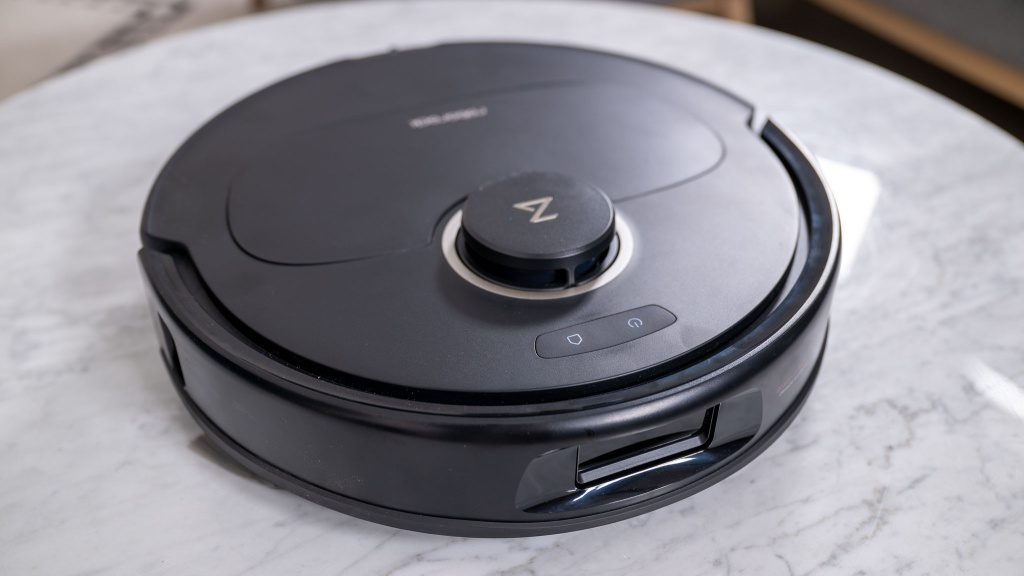
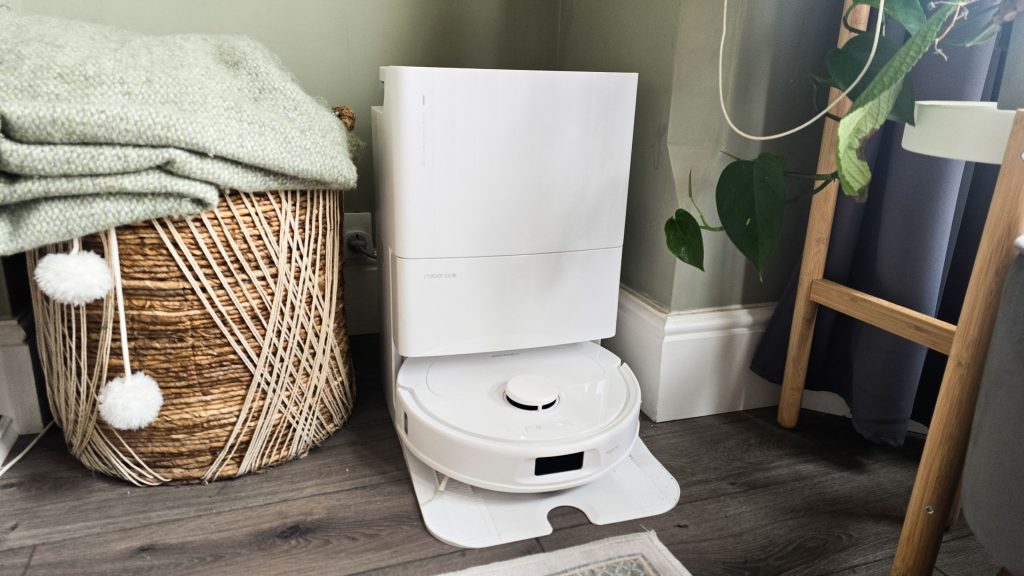
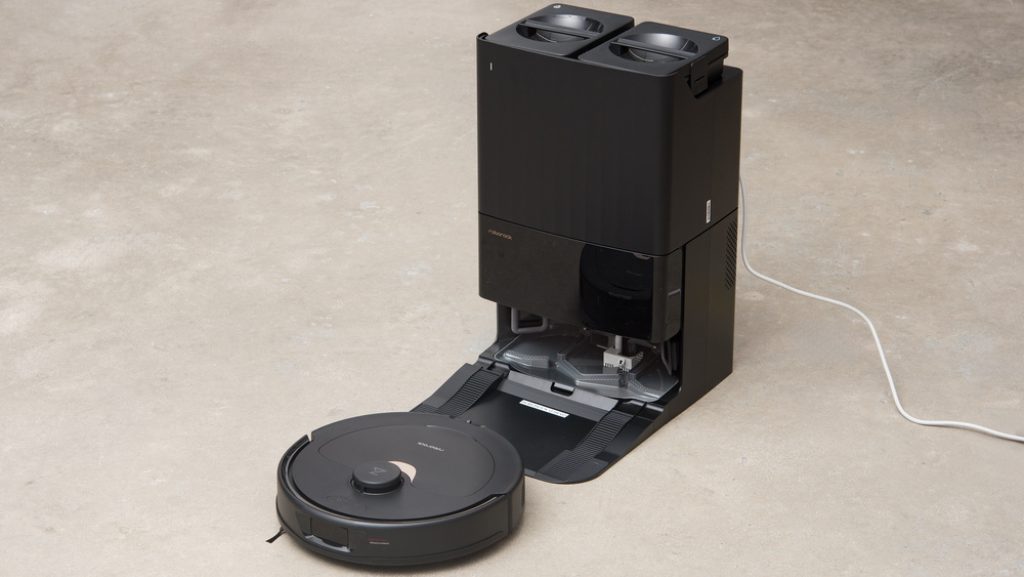
The Qrevo S5V‘s dock is the most advanced part of the system. It handles multiple tasks automatically.
- Auto‑empty dust: The dock vacuums dust from the robot‘s bin into a 10‑week capacity dust bag. You only need to replace the bag every two to three months.
- Self‑wash mops: The dock washes the dual spinning mop pads with clean water after each mopping session.
- Warm air drying: The dock dries the mop pads with warm air to prevent odours and bacterial growth.
- Auto‑refill water tank: The dock refills the robot‘s internal water tank, allowing continuous mopping of up to 3,552 square feet without manual refilling.
The dock requires a power outlet and a place on your floor. It is larger than a standard robot vacuum dock (similar in size to an espresso machine).
Cleaning Performance: 12,000Pa Suction And Zero‑Tangle Brushes
The 12,000Pa suction is among the highest available on a consumer robot vacuum. It can lift embedded dirt, pet hair and stubborn debris from carpets and rugs. The brushless motor is quieter and more durable than brushed motors.
The SGS‑certified zero‑tangle system is designed for pet households. The rubberized main brush resists hair wrap, and the arc‑shaped side brush has a 0 percent hair tangling rate according to SGS testing. This means you should spend less time cutting hair off the brush roller with scissors.
The FlexiArm extendable mop arm reaches corners and around furniture legs. The dual spinning mops operate at 200 RPM, mimicking hand‑mopping to remove dried‑on stains. The mops lift 10mm when the robot detects low‑pile carpets, preventing wetting of rugs.
Obstacle Avoidance And Navigation
The Qrevo S5V uses structured light sensors for obstacle avoidance. These sensors detect cables, toys and furniture legs in real time and navigate around them. The robot can suggest “No‑Go Zones” for tricky areas, such as under chairs, to prevent it from getting stuck.
PreciSense LiDAR provides 360‑degree scanning and creates detailed maps for efficient route planning. The robot supports up to four floor maps for multi‑level homes. It automatically switches between maps when you move it to a different floor and adapts its cleaning behaviour to carpet or hard floor differences.
App Control And Smart Features
The Roborock app (available for iOS and Android) provides comprehensive control over the Qrevo S5V.
- Schedule cleanings: Set the robot to clean at specific times on specific days.
- Target specific rooms: Tell the robot to clean only the kitchen or only the bedroom.
- No‑clean zones: Set virtual walls to keep the robot away from pet bowls, charging cables or children‘s toys.
- SmartPlan: Automatically adjust suction and mopping levels based on each room‘s needs. For example, the kitchen may get heavy mopping while the bedroom gets only vacuuming.
- Custom water flow: Adjust mopping water volume (30 levels) for different floor types.
The robot works with Amazon Alexa, Google Assistant and Siri Shortcuts for voice control. It only supports 2.4 GHz WiFi (not 5 GHz).
Roborock Qrevo S5V Vs Roborock S8 Vs Qrevo Curv
| Aspect | Qrevo S5V | Roborock S8 | Qrevo Curv |
|---|---|---|---|
| Suction Power | 12,000Pa | 6,000Pa | 8,000Pa |
| Mopping | Dual spinning mops (200 RPM), FlexiArm | Vibrating mop pad | Dual spinning mops |
| Mop Lift | 10mm | 5mm | 10mm |
| Edge Mopping | FlexiArm extendable arm | Standard | Standard |
| Zero‑Tangle Brushes | Yes (SGS certified) | Yes (standard) | Yes (standard) |
| Obstacle Avoidance | Structured light | Reactive 3D | Structured light |
| Dock Functions | Auto‑empty, self‑wash mop, warm dry, auto‑refill | Auto‑empty only | Auto‑empty, self‑wash mop, warm dry |
| Mopping Coverage (with refill) | 3,552 sq ft | Not applicable | Not applicable |
| Price (approx) | $1,000‑1,200 | $750‑900 | $800‑1,000 |
The Qrevo S5V is the most advanced model, with the highest suction, the FlexiArm edge mopping and the most comprehensive dock. The S8 is a more affordable alternative but lacks auto‑refill and spinning mops. The Qrevo Curv is a middle ground.
Pros And Cons Of The Roborock Qrevo S5V
Pros
- 12,000Pa suction is among the highest available.
- SGS‑certified zero‑tangle brushes are excellent for pet hair.
- FlexiArm extendable mop arm reaches corners and around furniture legs.
- All‑in‑one smart dock auto‑empties dust, self‑washes mops, warm‑air dries and auto‑refills water.
- Up to 3,552 sq ft of mopping coverage without manual refilling.
- Structured light obstacle avoidance detects cables and toys.
- PreciSense LiDAR navigation with up to 4 floor maps for multi‑level homes.
- SmartPlan automatically adjusts suction and mopping per room.
- Works with Alexa, Google Assistant and Siri Shortcuts.
- 10mm mop lifting protects low‑pile carpets from getting wet.
Cons
- The price is high (estimated $1,000‑1,200).
- The dock is large and requires floor space.
- Only supports 2.4 GHz WiFi (not 5 GHz).
- No auto‑empty dust bin on the robot (must return to dock).
- Spare parts (filters, brushes, mop pads, dust bags) add ongoing cost.
- The robot may struggle with very dark or high‑pile carpets (common for LiDAR).
- No built‑in camera for pet monitoring (some competitors have this).
- The water tank on the robot is smaller than the dock‘s tank; the robot must return to refill during large mopping sessions.
Frequently Asked Questions (FAQs)
What is the difference between the Qrevo S5V and the Qrevo Curv?
The Qrevo S5V has higher suction (12,000Pa vs 8,000Pa), a FlexiArm extendable mop arm and a more advanced dock with auto‑refill and 3,552 sq ft mopping coverage. The Qrevo Curv has dual spinning mops but no extendable arm and a simpler dock.
Does the Roborock Qrevo S5V work on carpets?
Yes. The robot works on low‑pile, medium‑pile and high‑pile carpets. The 12,000Pa suction lifts embedded dirt from carpets. The mops lift 10mm to prevent wetting low‑pile rugs. For high‑pile carpets, the robot may struggle to climb on top; you can set a no‑go zone in the app.


